Boosting Collaboration and Efficiency with ClickUp: A Marketing Agency Success Story
Opportunity A marketing agency that frequently worked with a state organization had a significant challenge with project...
ReadStraight answers to the 30 questions buyers ask most about ClickUp: what it is, pricing, features, comparisons, and implementation.
 L5 Team
ClickUp is a work management platform that teams use to run projects, docs, goals, and time tracking in one place. That breadth is what makes it useful, and it is also why the same questions come up over and over in buyer research.
This page answers the thirty most common ones, grouped into five areas: what ClickUp is, pricing and plans, features and AI, how it compares to other tools, and what implementation involves. Each answer is short and stands on its own, so you can start anywhere and read only what you need.
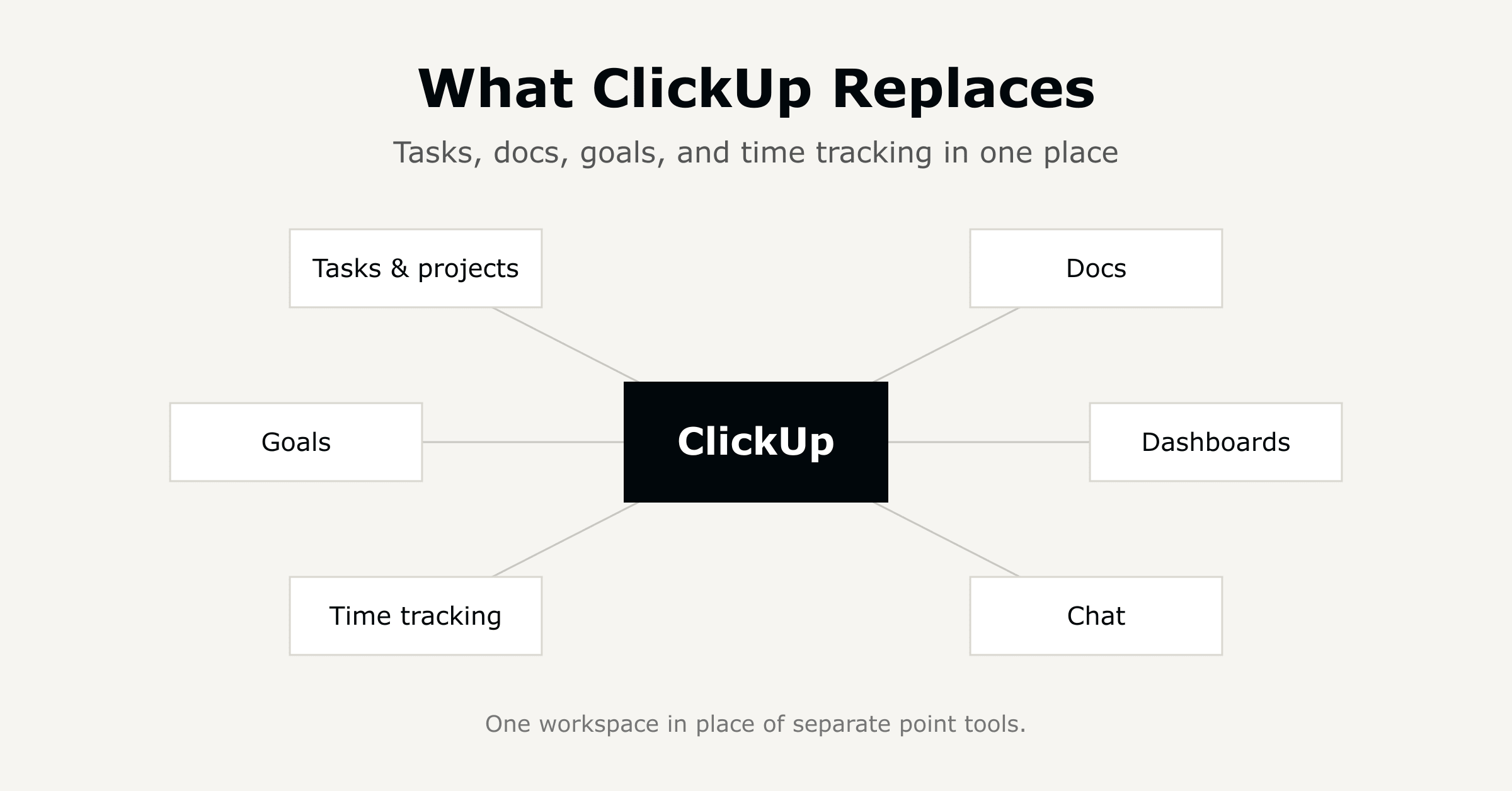
ClickUp is a work management platform used to plan, track, and organize projects and tasks in one place. Teams use it for project management, task tracking, docs, goals, and time tracking instead of running separate tools for each. It replaces point solutions like a task tracker plus a docs tool plus a time tracker.
ClickUp started as project management software but now covers docs, chat, goals, and dashboards in the same workspace. Most teams use it as their central work management system rather than a single-purpose project tool.
ClickUp is built for small and mid-sized teams, typically under 250 employees, who need one system for project work, HR workflows, and internal operations. It fits professional services, construction, healthcare, and nonprofit teams that need flexible workflows without enterprise-tool overhead.
Yes. ClickUp's free plan and per-seat pricing make it accessible for small teams, and its templates reduce setup time. The tradeoff is that a small team without a defined workflow can end up with a workspace that mirrors that same lack of structure.
Yes, ClickUp is commonly used to replace a separate task tracker, docs tool, and time-tracking app. Consolidation reduces the number of logins and licenses a team manages. It does not automatically replace specialized systems of record like an ERP or a dedicated HRIS.
Yes. ClickUp is used widely outside software teams, including HR, operations, and professional services. Templates for onboarding, approvals, and client work are built for non-technical users, though initial setup still benefits from someone who understands workflow design.
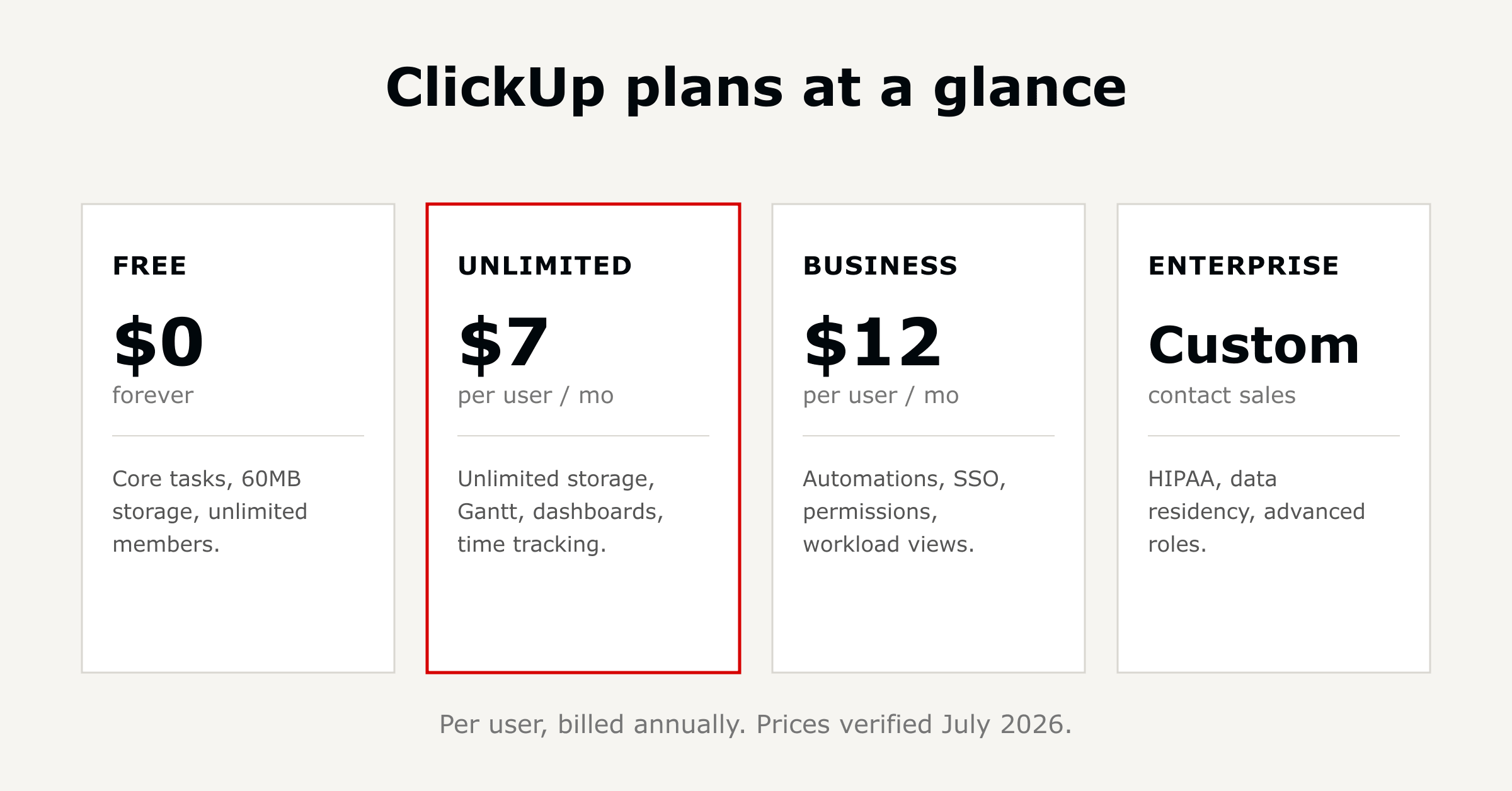
ClickUp prices per user per month, with a free tier and paid tiers scaling up in features. Check ClickUp's pricing page for current figures, since they change without notice.
The free plan includes core task management and a limited number of uses for features like Docs and Dashboards. It is enough for individuals or very small teams to evaluate the tool before paying.
Higher tiers raise limits on automations, dashboards, and integrations, and add features like advanced permissions and reporting. The jump usually matters once a team outgrows the free plan's automation and storage caps, not before.
ClickUp AI is typically priced as an add-on rather than bundled into every plan. Confirm current add-on pricing and plan eligibility on ClickUp's site, since AI pricing changes more often than base plan pricing.
ClickUp's per-seat pricing is generally competitive with Asana and Monday.com at comparable tiers, but exact comparisons depend on which features a team needs. Compare like-for-like tiers on each vendor's current pricing page rather than list price alone.
Teams typically outgrow the free plan when they hit automation, storage, or dashboard limits, which often happens between 5 and 15 active users. The trigger is usage limits, not headcount alone.
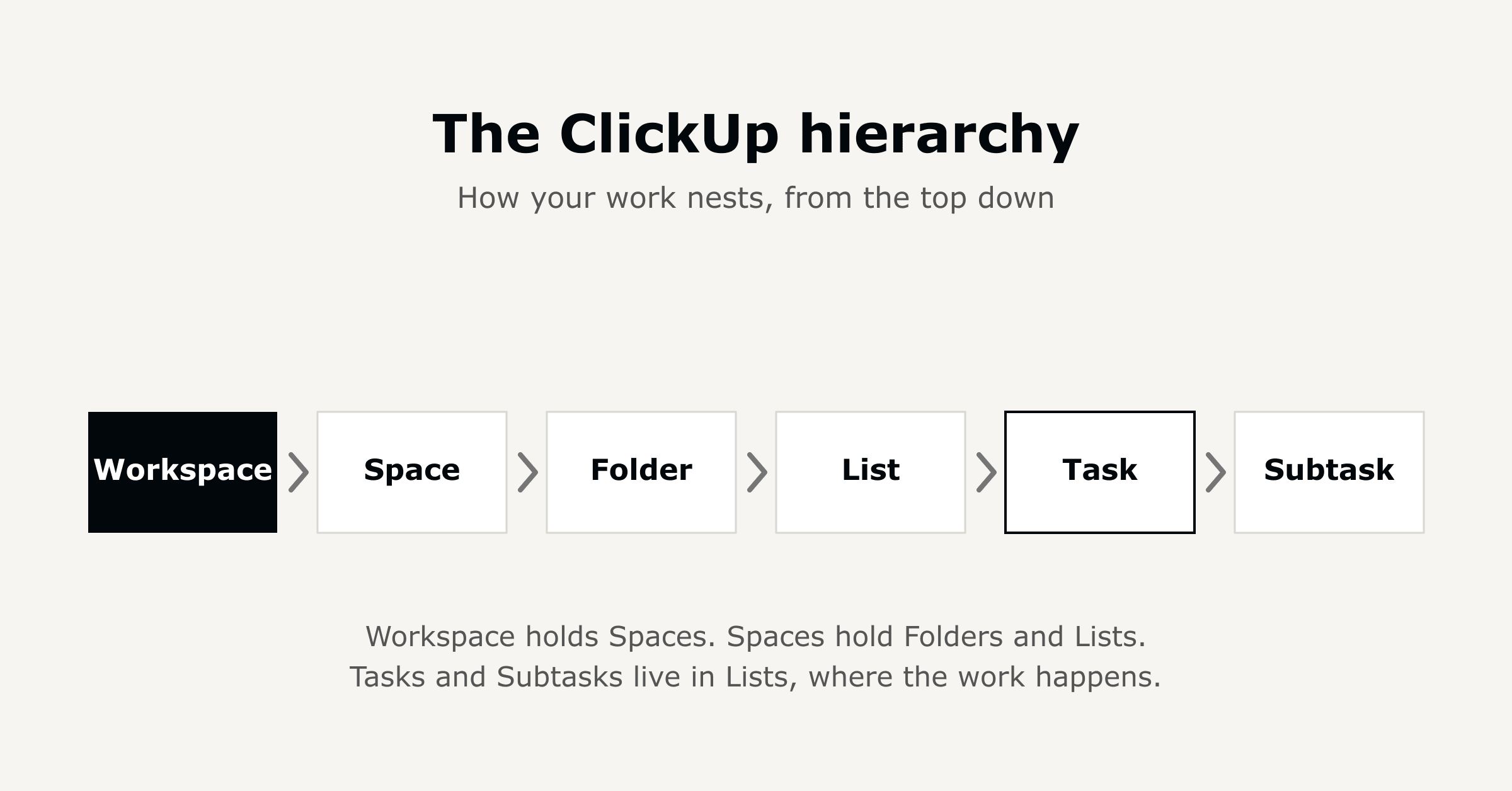
Spaces, Folders, and Lists are ClickUp's hierarchy for organizing work: a Space is the top-level container (often a team or department), Folders group related projects, and Lists hold the individual tasks. Getting this hierarchy right early avoids a rebuild later.
ClickUp Brain is ClickUp's built-in AI assistant, used for summarizing tasks, drafting updates, and answering questions about work already in the workspace. It works within existing tasks and docs rather than as a separate chat tool.
Yes. ClickUp includes rule-based automations for actions like status changes, assignee updates, and notifications, with the number allowed scaling by plan tier. Most common workflow triggers can be built without custom code.
Yes, ClickUp is commonly used for HR workflows including new-hire onboarding, approvals, and internal request tracking. Templates exist for onboarding checklists, though most teams still need to customize them to match their actual process.
Yes. ClickUp Dashboards let teams build custom views of task status, workload, and timelines for leadership visibility. Dashboard limits and available widgets vary by plan tier.
Yes, ClickUp has native integrations with tools including Slack, Google Drive, and Zoom, plus a broader app marketplace. Most common day-to-day tools connect without custom development.
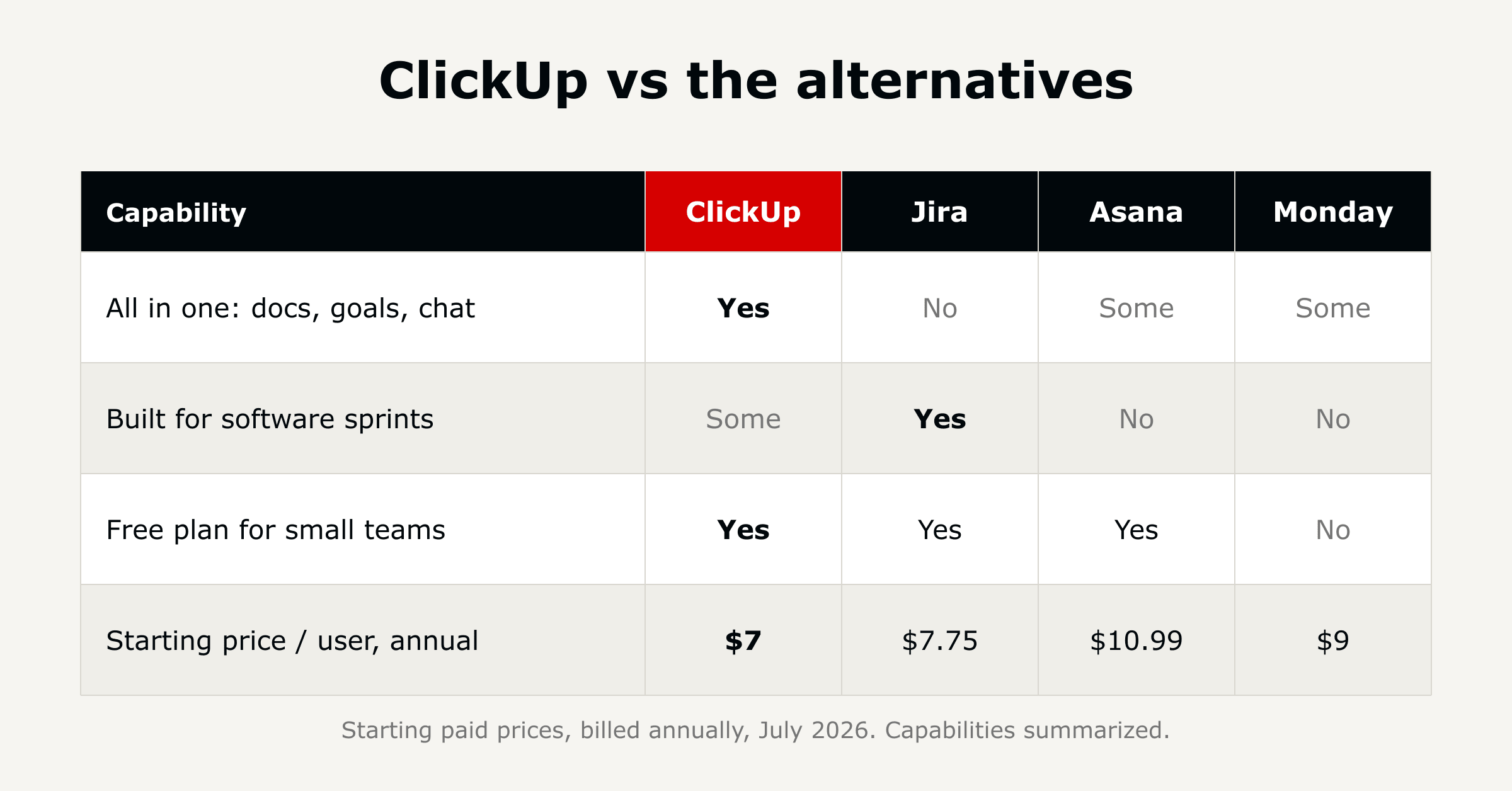
Jira is built specifically for software development workflows tied to issue tracking and sprints. ClickUp covers software workflows plus the rest of the business (HR, ops, marketing) in one system. The choice depends on whether a team needs a dev-only tool or one system across departments.
Asana is more narrowly focused on task and project tracking with a simpler learning curve. ClickUp offers more configurability and more built-in features (docs, goals, dashboards) at the cost of a steeper initial setup.
Both fit professional services work, but ClickUp's deeper task hierarchy and native docs tend to suit firms managing multiple concurrent client engagements. Monday.com's visual boards can be faster to stand up for simpler workflows.
ClickUp has more configuration options than simpler tools, which can mean a longer initial setup. Once a workspace is built around a team's actual workflow, day-to-day use is comparable to other task tools.
Procore is purpose-built for construction, with features like RFIs and submittals native to the platform. ClickUp can run construction project management through custom workflows and templates, and fits firms that also need one system for HR and internal operations alongside project work.
Yes, ClickUp is used by nonprofits to manage programs, grants, and volunteer coordination, and ClickUp offers nonprofit-specific pricing in some cases. Confirm current nonprofit pricing directly with ClickUp before budgeting.

A ClickUp implementation partner builds the workspace structure, automations, and integrations around a team's actual workflow, then trains users. The difference between partners is usually what happens after go-live, whether the partner stays involved or hands off the workspace and leaves.
Timelines vary by team size and workflow complexity, but a focused rollout can compress into days rather than months. L5's ACT methodology compressed ClickUp onboarding from 55 days to 7 days.
Diamond is ClickUp's top partner tier, reflecting scale of successful implementations and platform expertise. L5 holds top partner standing with ClickUp.
Small teams with simple workflows often set up ClickUp themselves. Teams consolidating multiple tools or building cross-department workflows typically move faster with a partner who has done the setup before, since workspace mistakes are expensive to unwind later.
Ongoing management, meaning workflow changes, new automations, and user support, has no default owner once a rollout is complete. L5 operates the platform on a weekly cadence after go-live rather than treating go-live as the finish line.
L5 builds the ClickUp workspace around a team's actual workflow, then continues running weekly Drives after go-live, so the system keeps changing as the team's needs do. L5 holds ClickUp top partner standing and has run 600+ customer implementations.

The full article with its figures, tables and sources, set for reading offline, printing, and sharing.
On its way to your inbox You can also download it right now.
Download the PDF Last updatedKeep reading
Opportunity A marketing agency that frequently worked with a state organization had a significant challenge with project...
Read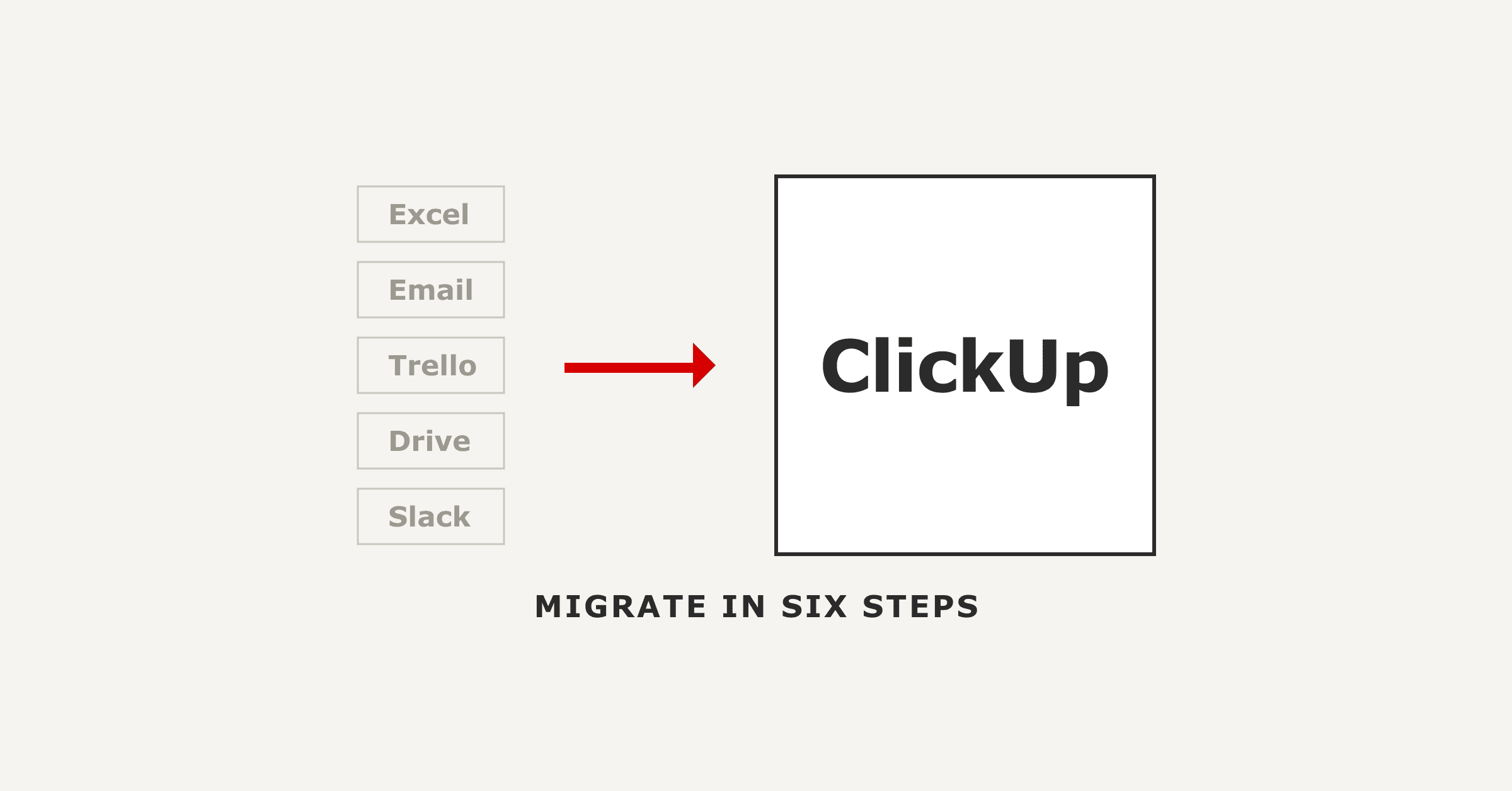
Migrating to ClickUp has two halves. ClickUp's native importers move your tasks, comments and attachments across from As...
Read
Most ClickUp implementations do not fail on the software, they stall on the rollout: too many features switched on at on...
ReadField notes on AI operations and service management, direct to your inbox. New insights, the week we publish them.
No spam. Unsubscribe any time.