8 Ways Nursing Informatics Teams Can Use ClickUp
The use of technology in nursing informatics is crucial for improving patient care coordination, enhancing nursing pract...
ReadHow non-profits use ClickUp: 10 real workflows for fundraising, volunteer management, grant tracking, and donor outreach, with examples for each.
 L5 Team
Non-profits use ClickUp to run fundraising, volunteer, grant, and program operations from one workspace instead of a mix of spreadsheets and email threads. Below are 10 workflows non-profits build in ClickUp, each with a concrete example of how it plays out day to day, grouped into four areas so you can see how they fit together before diving into each one.
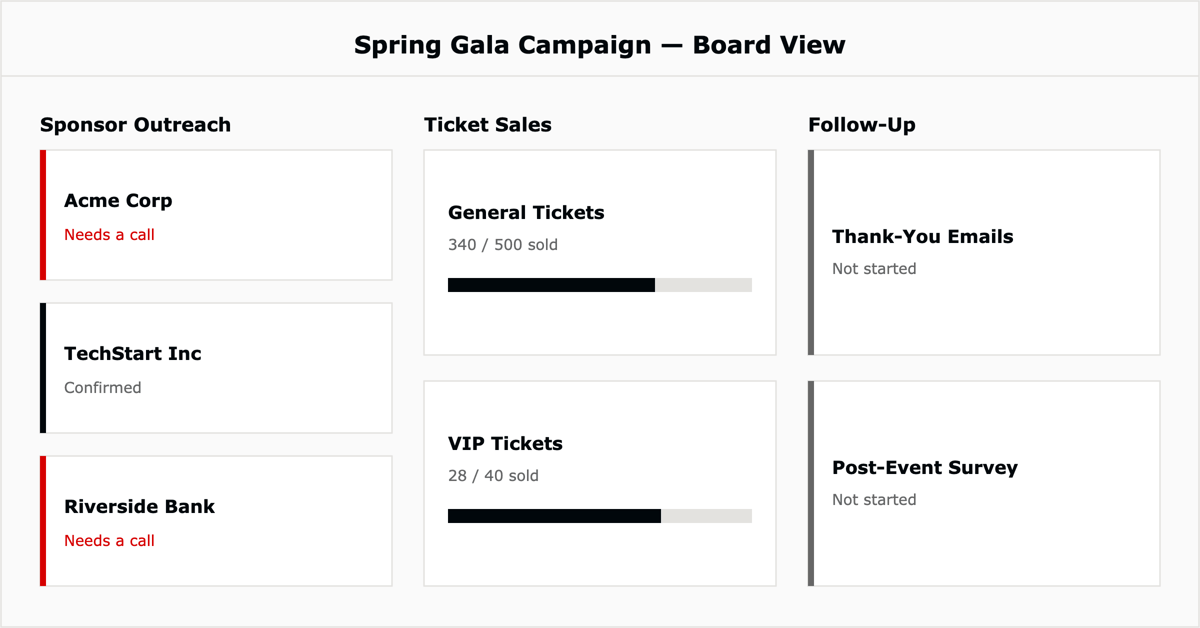
Plan, organize, and track fundraising campaigns, grant applications, and donor outreach initiatives as ClickUp tasks with owners and deadlines, then monitor progress on a Kanban board or Gantt chart. In practice: a spring gala campaign becomes a board with columns for Sponsor Outreach, Ticket Sales, and Follow-Up, so the development team can see at a glance which sponsors still need a call.
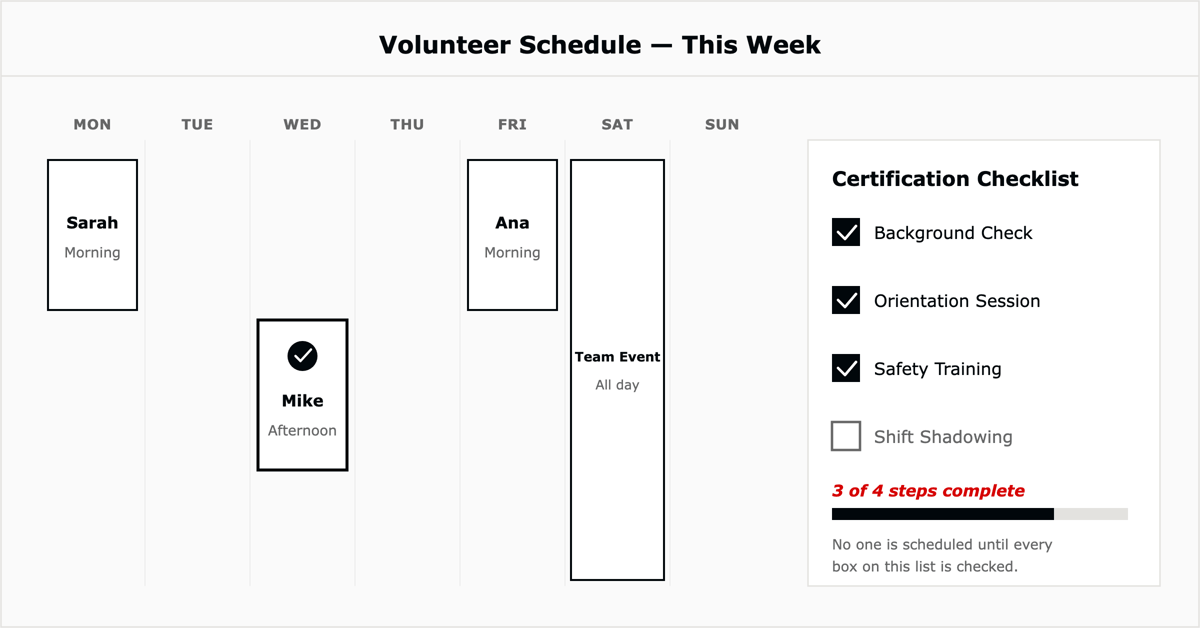
Manage volunteer recruitment, onboarding, and scheduling with tasks for interviews, training sessions, and event assignments, and use the calendar view to spot scheduling conflicts before they happen. In practice: a food bank tracks every volunteer shift as a calendar event linked to a training-completion checklist, so no one is scheduled before they're certified.
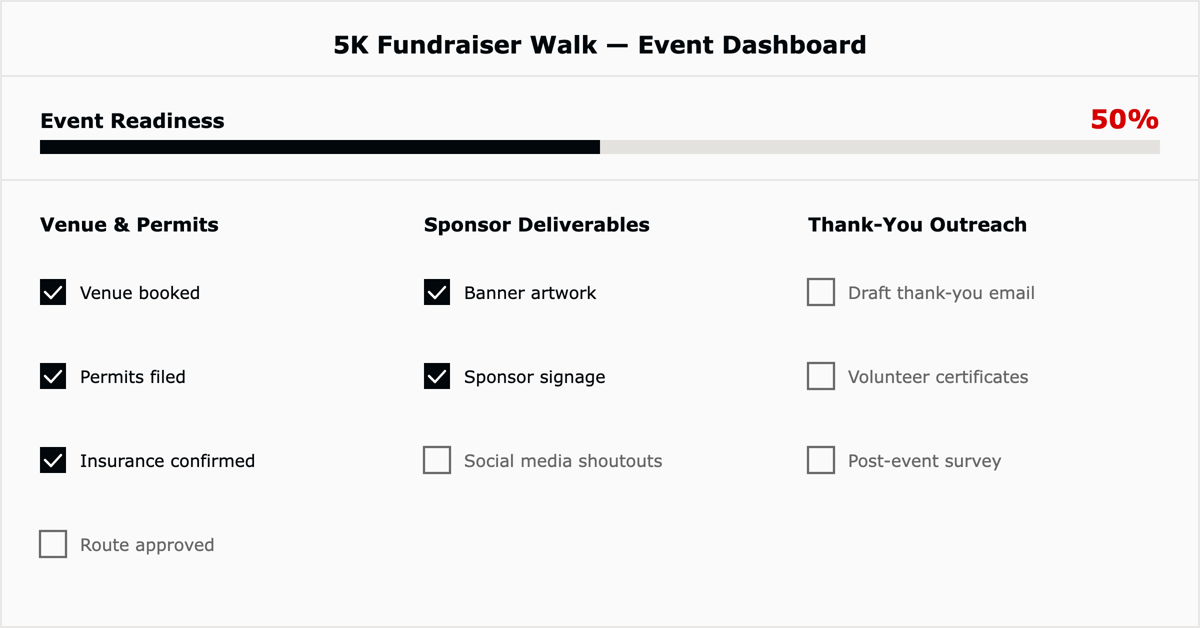
Run fundraisers, conferences, and community programs as ClickUp projects, with tasks for logistics, promotion, and follow-up assigned to specific team members and tracked against a shared deadline. In practice: a 5K fundraiser walk uses one list for venue and permits, one for sponsor deliverables, and one for post-event thank-you outreach, all rolling up to a single event dashboard.
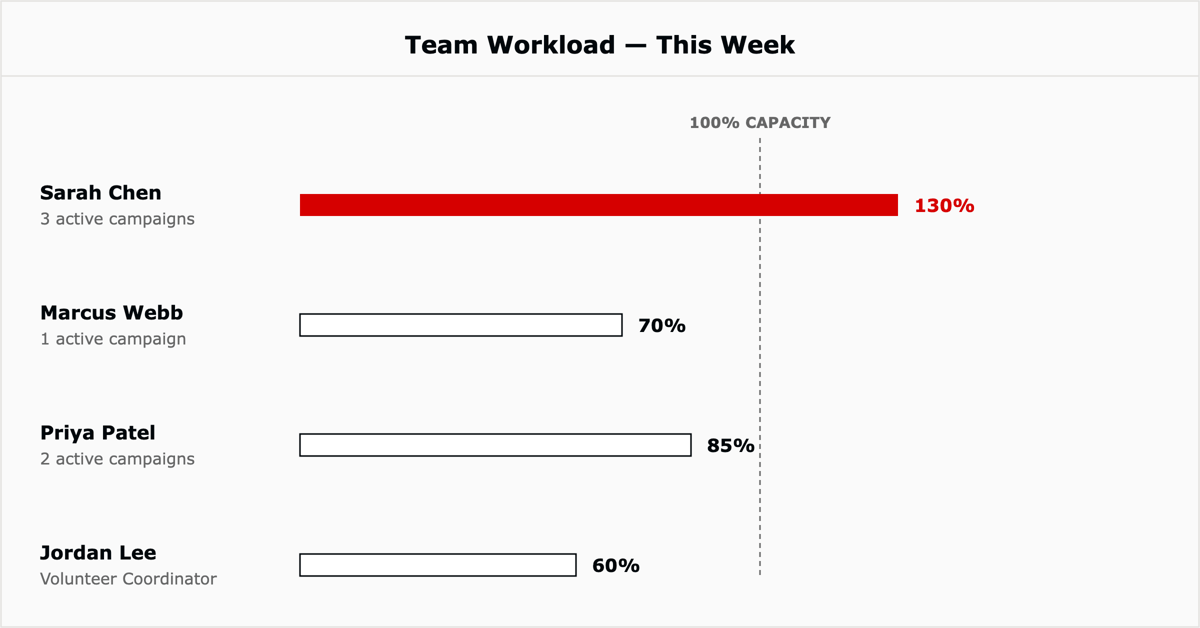
Use ClickUp's priority flags and workload view to see who on a small team is overloaded and which initiatives are genuinely high-impact versus merely urgent. In practice: an executive director reviews the workload view weekly to catch when one program manager is carrying three campaigns at once and rebalance before burnout.
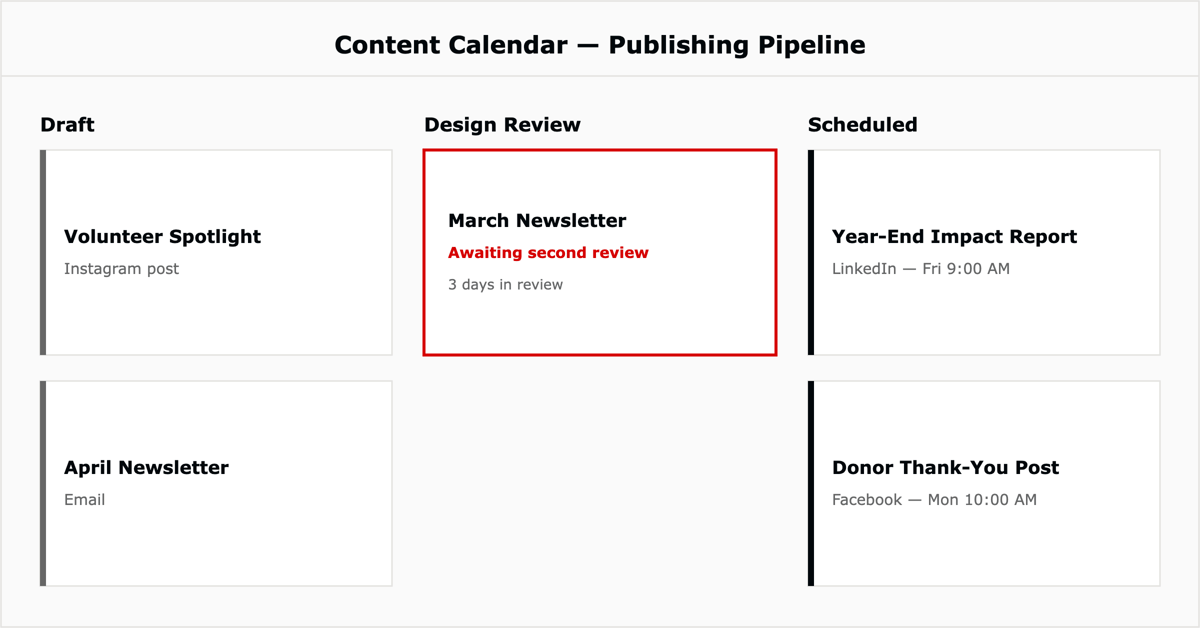
Plan, create, and manage content for websites, newsletters, and social channels, assigning tasks to writers, designers, and social media managers against a shared publishing calendar. In practice: a monthly newsletter moves through Draft, Design Review, and Scheduled statuses so nothing goes out without a second set of eyes.
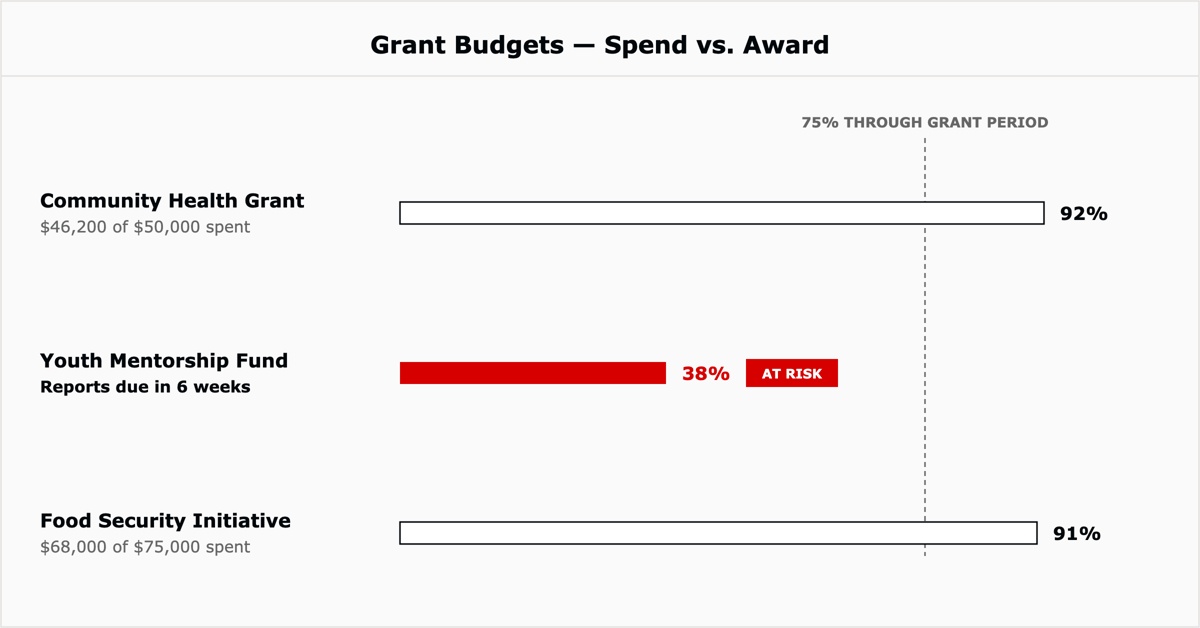
Build budgets for projects, campaigns, or events and track expenses over time using custom fields for cost categories, with ClickUp's dashboards surfacing budget-versus-actual in real time. In practice: a grant-funded program tracks spend against its award amount in a custom field so the finance lead can flag underspend before a reporting deadline, not after.
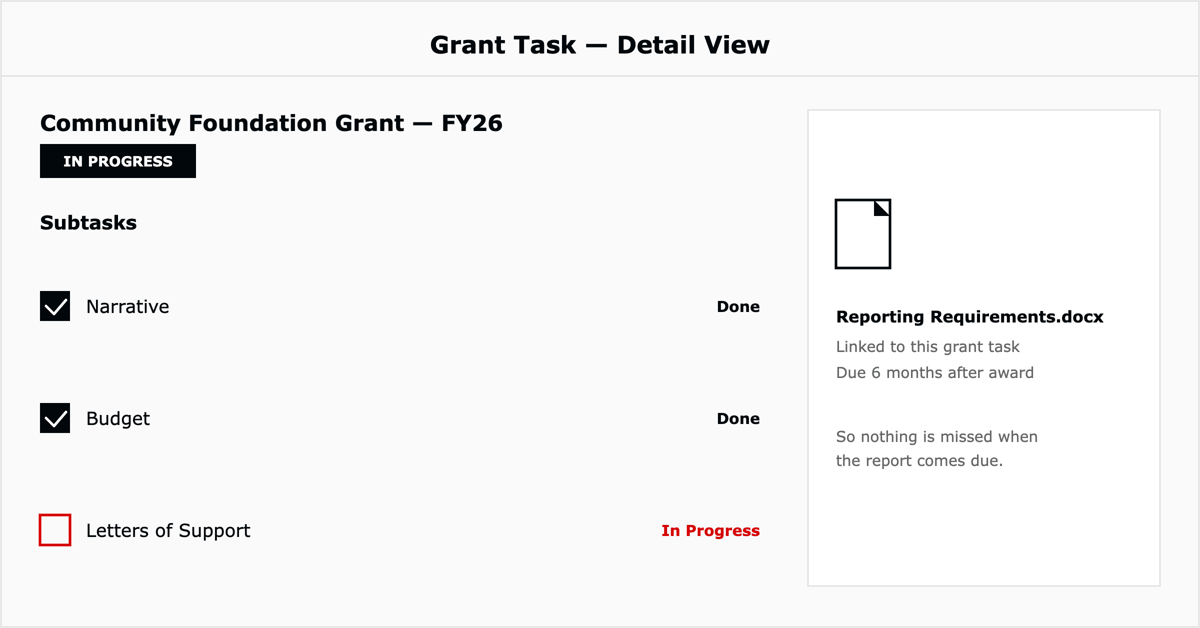
Manage the full grant lifecycle, research, proposal writing, submission, and reporting, as a single ClickUp workflow with deadlines, task owners, and stored supporting documents. In practice: each grant becomes a task with subtasks for narrative, budget, and letters of support, plus a linked doc for the reporting requirements so nothing is missed months later.
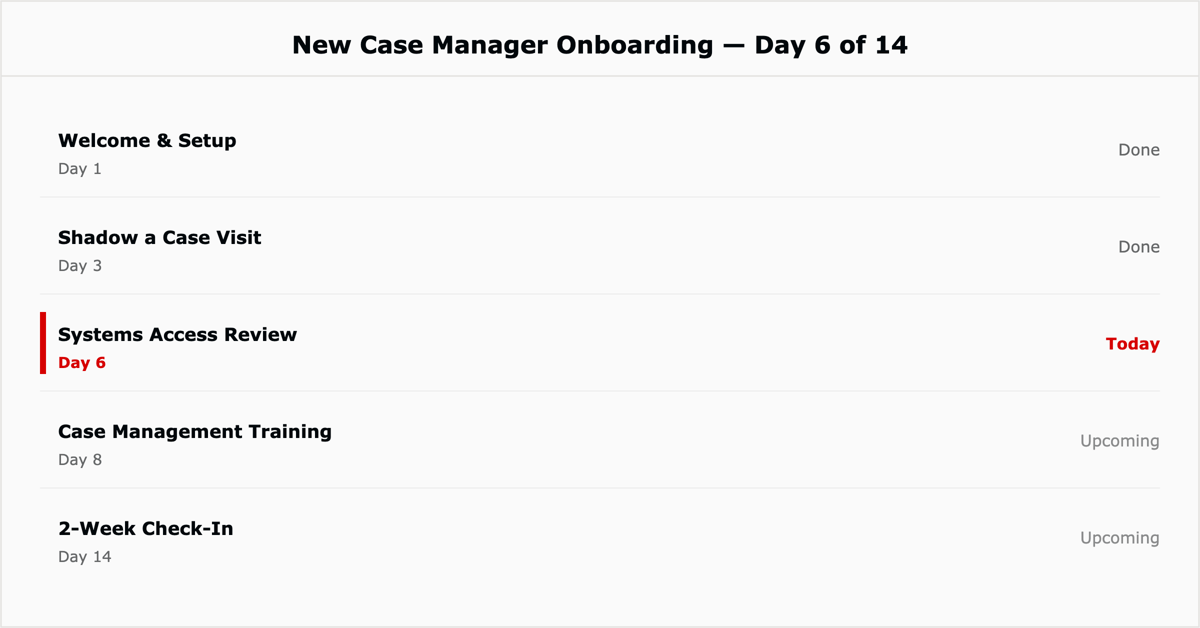
Manage hiring, onboarding, and employee development for both staff and volunteers, with scheduled interviews, onboarding checklists, and training sessions tracked as tasks. In practice: a new case manager's first two weeks are a pre-built onboarding template with training tasks assigned automatically on their start date.
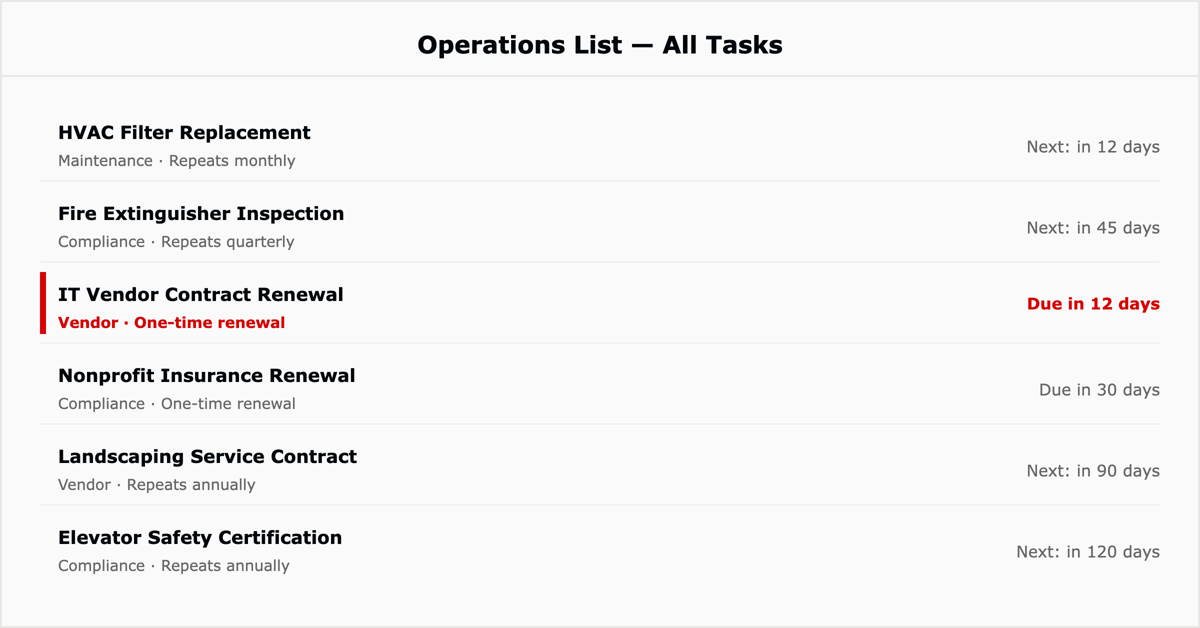
Centralize administrative tasks, facility management, and compliance requirements so day-to-day operations run from one place instead of scattered email requests. In practice: facility maintenance requests, compliance renewal deadlines, and vendor contracts all live as tasks in one Operations list with recurring reminders.
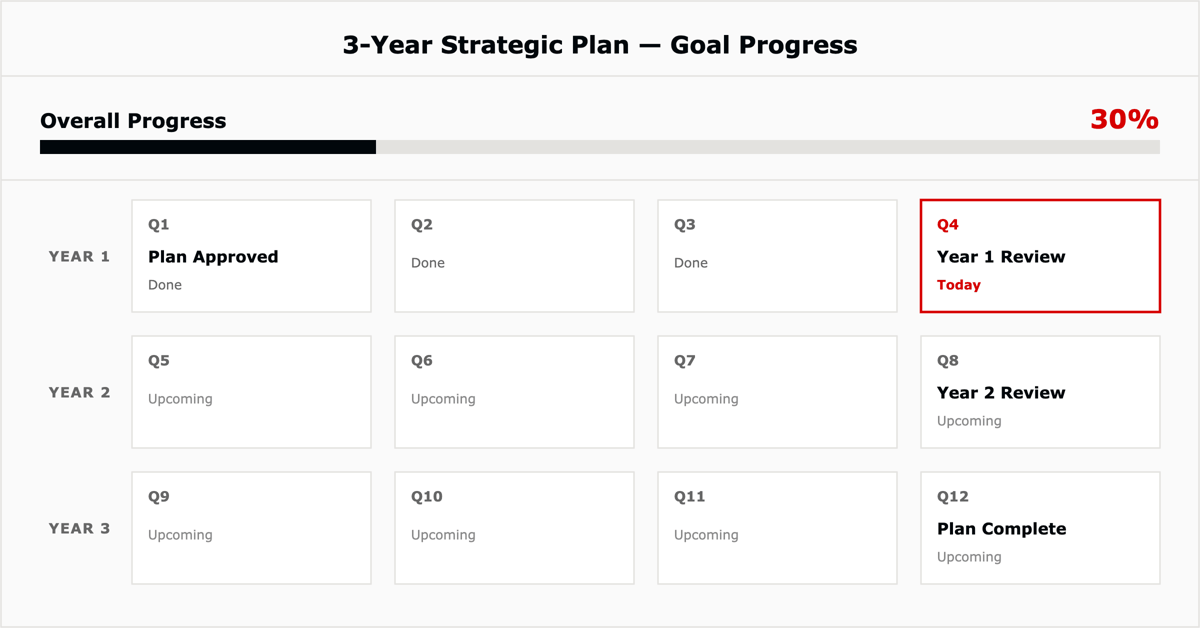
Break annual strategic objectives into actionable projects and tasks, assign owners, and use ClickUp Goals with Targets to track progress toward organizational objectives throughout the year. In practice: a board-approved 3-year strategic plan becomes a ClickUp goal with a quarterly Target for each milestone, so leadership can report real progress at each board meeting instead of a year-end scramble.
ClickUp also integrates with tools non-profits already use, Google Drive, Slack, and Mailchimp among them, so existing donor and communication tools plug into the same workspace rather than requiring a wholesale switch.
If you're evaluating other software alongside ClickUp, TechSoup is a long-standing, well-known resource for verified nonprofit discounts across dozens of vendors and is worth checking regardless of which project management tool you land on.
Most small non-profit teams don't need all 10 workflows on day one. A reasonable starting sequence:
ClickUp's standard Free plan is available to any organization, including non-profits, at no cost, with unlimited tasks and core views. ClickUp also offers a discount for eligible 501(c)(3) organizations through its nonprofit program; the exact rate isn't published, so apply directly for a quote.
Non-profits use ClickUp to run fundraising campaigns, manage volunteers, plan events, track grants and budgets, and handle HR and operations, all from one workspace instead of separate spreadsheets and tools.
Yes. ClickUp's templates and Free plan are set up for non-technical teams to start with a basic task list and calendar, then add views like Gantt or workload as the organization's needs grow.
For the platform basics, plans, and full feature set, see our complete ClickUp review. As an official ClickUp Diamond and Preferred Partner, L5 helps non-profits and professional services teams alike configure ClickUp around how they actually work, not a generic template. Contact us to talk through your organization's setup.

The full article with its figures, tables and sources, set for reading offline, printing, and sharing.
On its way to your inbox You can also download it right now.
Download the PDF Last updatedKeep reading
The use of technology in nursing informatics is crucial for improving patient care coordination, enhancing nursing pract...
Read
The Opportunity An engineering team struggled with inefficient support ticket management using Jira and Confluence. The ...
Read
ClickUp can be a valuable tool for managing and tracking Continuing Medical Education (CME) activities.
ReadField notes on AI operations and service management, direct to your inbox. New insights, the week we publish them.
No spam. Unsubscribe any time.