ITSM Best Practices Should Not Require a Consultant Every Time
The average enterprise ITSM implementation takes between six and eighteen months.[2] In that time, the implementation te...
ReadClickUp for construction project management keeps every phase on schedule, with real-time progress across crews, vendors, and job sites.
 L5 Team
ClickUp works well for construction project management when it is set up around how a job actually runs: phases on a live schedule, subcontractors and vendors coordinated on tasks, and RFIs, submittals, and punch lists tracked in one place. It is not a dedicated construction platform, so it trades deep construction-specific billing for the flexibility and cross-team reach that a general contractor's office and field crews both use every day. This guide covers the ClickUp features that matter for construction, how to structure a project, where ClickUp fits against tools like Procore, and how L5 sets it up for construction teams.
Yes, for most general contractors, specialty subcontractors, and owner's representatives that want scheduling, coordination, and reporting in one system instead of a stack of spreadsheets and email threads. ClickUp handles the day-to-day of running a build: a live schedule, clear task ownership across crews and subs, document control, and dashboards that leadership can actually read at a glance.
Where a dedicated construction platform pulls ahead is heavy construction financials, such as AIA-style progress billing, and RFI and submittal management at large general-contractor scale. For most mid-market builders, ClickUp covers the project work that otherwise lives in disconnected tools, and pairs with accounting software for the financial side. The result is one place for the schedule, the field, and the back office rather than three.
Most construction teams do not lose time because people are not working. They lose it in the gaps between the schedule, the field, and the office. These are the recurring problems a ClickUp workspace is set up to close:
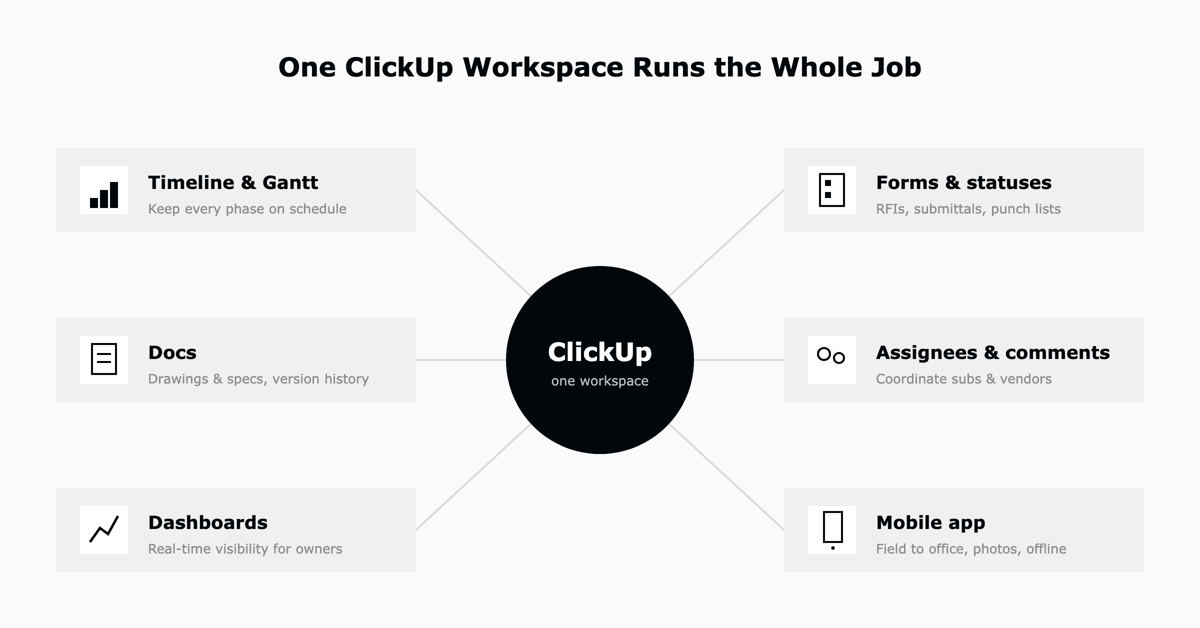
ClickUp's value for construction is not one feature, it is how the schedule, the field, and reporting connect in a single workspace. These are the features construction teams lean on most, and the job each one does.
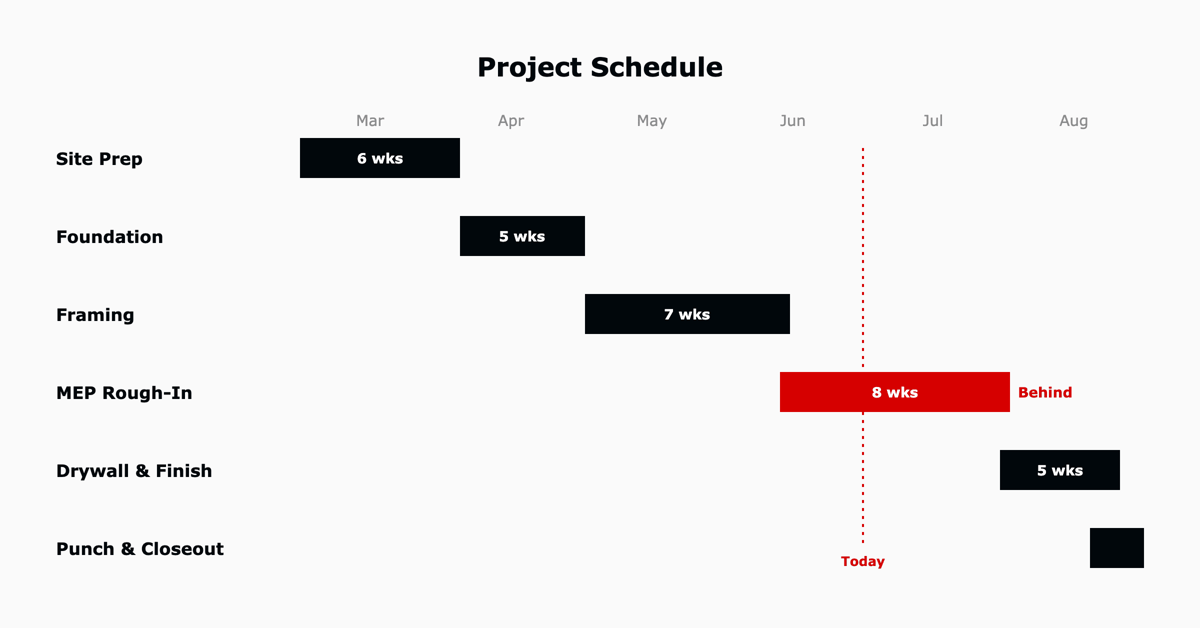
Lay out the whole job by phase, from site prep through closeout, with dependencies so a change to one phase moves the ones that follow. The same schedule can be viewed as a Gantt for planning, a calendar for the week ahead, or a list for a single crew.
Tag every task with the job site, cost code, trade, or phase it belongs to, then filter and report on any of them. Custom statuses model the real stages work moves through, such as Not Started, In Progress, Inspection, and Complete.
A field crew submits an RFI, inspection result, or punch item from a form, and it lands in the right list as a tracked task with an owner and a due date. Nothing depends on someone remembering to type it up back at the office.
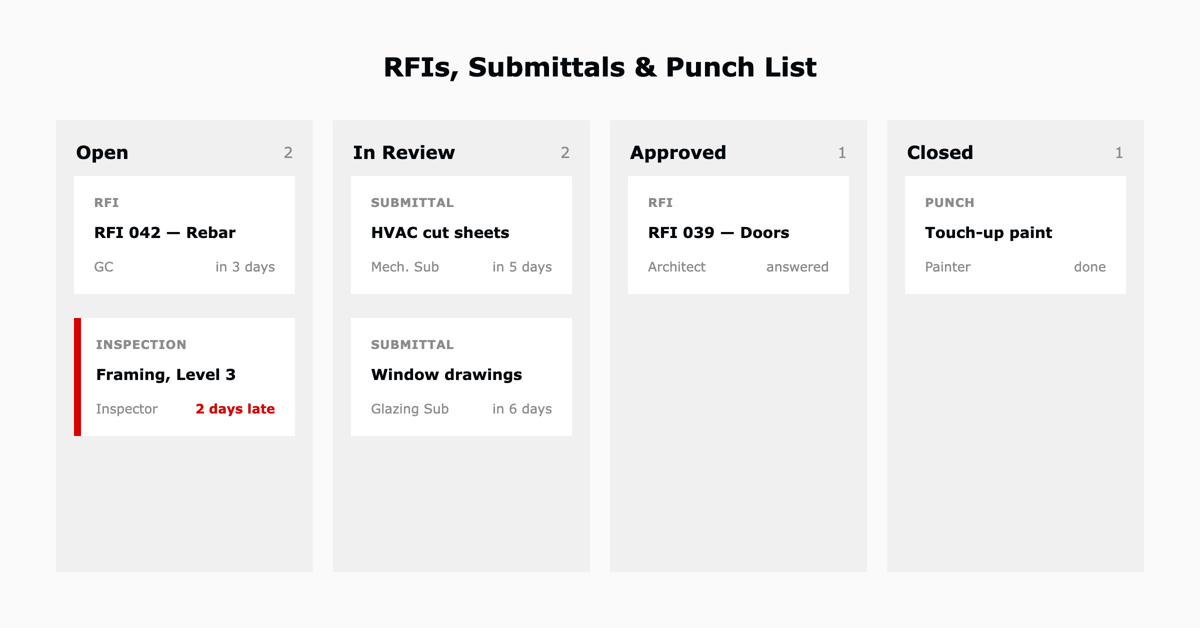
Roll the whole project up into a dashboard: percent complete by phase, on-time task rate, budget used, open RFIs, and overdue items. Owners and executives get a live read on the job without asking for a status report.
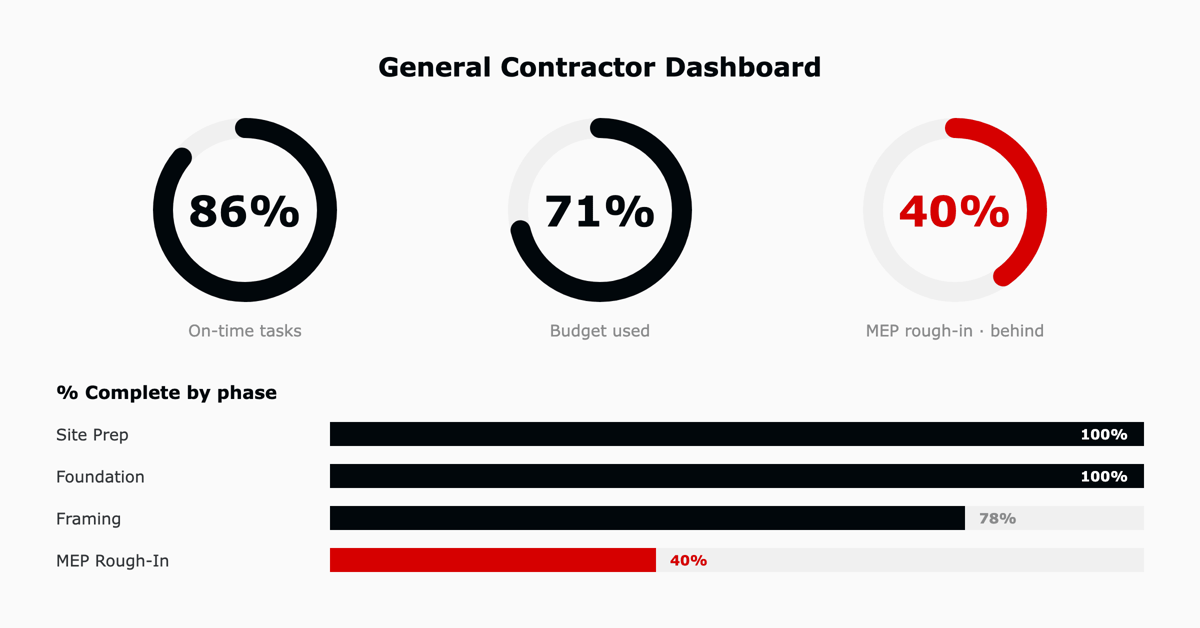
When an inspection passes, the next phase can open automatically. When a task goes overdue, the right person is notified. Automations remove the manual chasing that eats a project manager's day.
The mobile app puts the schedule, tasks, and forms in the hands of crews on site, with photo attachments and offline access for job sites with poor signal. Work captured in the field syncs back to the office automatically.
Keep current drawing references, specifications, safety procedures, and closeout documents in ClickUp Docs, linked directly to the tasks they relate to, with version history so the latest set is always the one crews see.
Put simply, each construction need maps to a specific ClickUp feature:
| Construction need | ClickUp feature |
|---|---|
| Keep every phase on schedule | Timeline and Gantt views with dependencies |
| Coordinate subs and vendors | Task assignees, comments, and @mentions |
| Track RFIs, submittals, and punch lists | Custom Forms and task statuses |
| Control drawings and specs | Docs with version history |
| Give owners real-time visibility | Dashboards and status rollups |
| Move information from field to office | Mobile app with photos and offline access |
For a full walkthrough of these features across any use case, see our ClickUp review of features, pros, and cons.
The difference between a workspace crews rely on and one they abandon is the structure, decided before any tasks are imported. A clean setup for construction follows ClickUp's hierarchy: a Space for the construction business, a Folder for each project, and a List for each function inside a project.
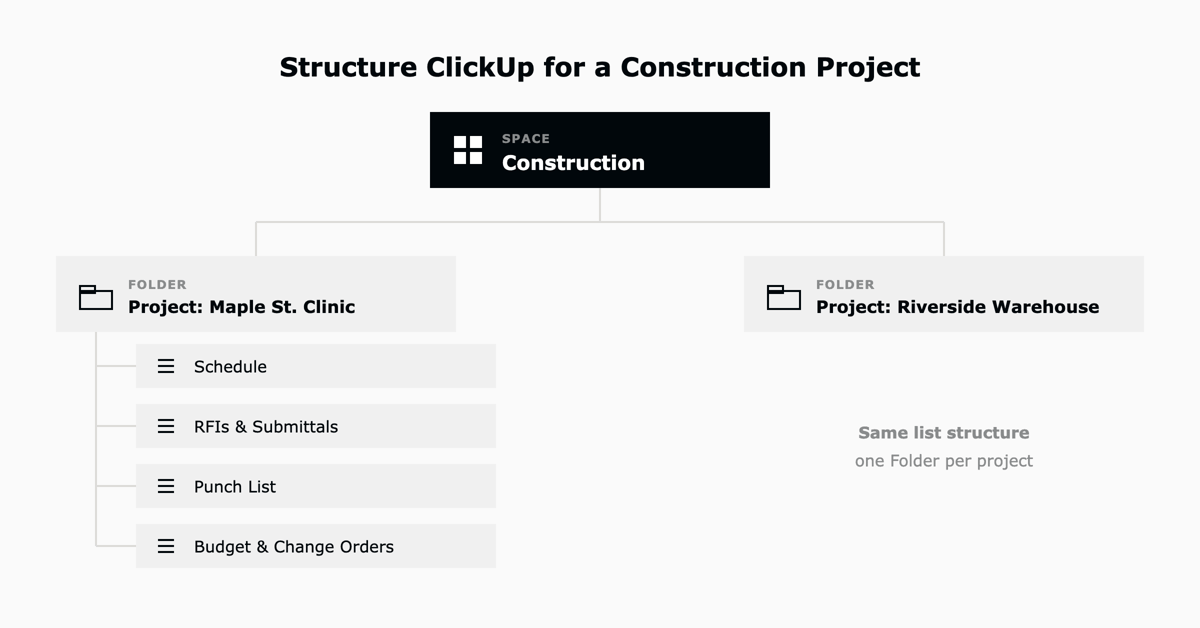
From there, add the custom fields, statuses, and a small set of automations that match how the team works, and start with one project rather than the whole company. A prebuilt construction template shortens that ramp considerably. As a ClickUp Diamond Partner, L5 builds these accelerators and configurations so a team is running on a proven structure from day one instead of discovering it through trial and error.
Construction teams comparing ClickUp usually have Procore or Buildertrend in mind, so it is worth being clear about where each wins. Dedicated construction platforms are built for construction financials and document-heavy general-contractor workflows. ClickUp is built for flexibility across a whole organization, at a fraction of the cost.
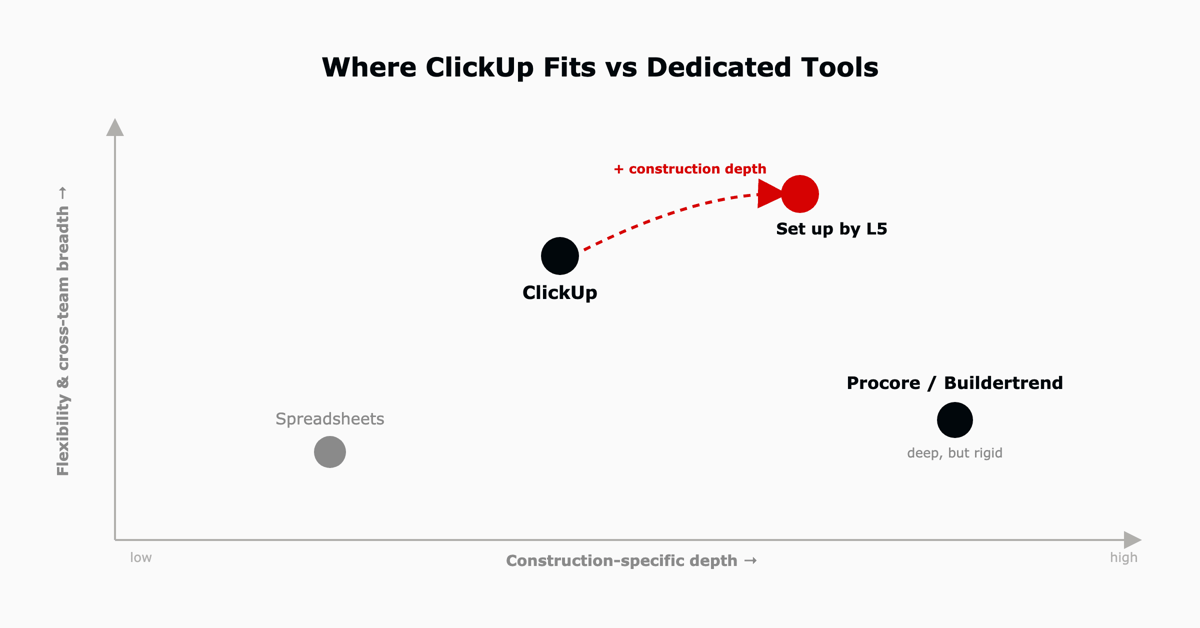
| Capability | ClickUp | Procore / Buildertrend |
|---|---|---|
| Scheduling and task management | Strong | Strong |
| Cross-team and back-office work | Strong | Limited |
| Custom workflows and flexibility | Strong | Limited |
| Construction financials (AIA billing) | Basic, pairs with accounting | Strong |
| RFIs and submittals at GC scale | With setup | Native |
| Cost for small and mid-size teams | Low | High |
For a large general contractor whose work is dominated by AIA progress billing and formal submittal logs, a dedicated platform can be worth its price. For most mid-market builders, specialty subcontractors, and teams that also run estimating, marketing, and operations, ClickUp covers the project work in one place and leaves the specialized financials to accounting software.
Key takeaway. Choose a dedicated construction platform when construction-specific financials and GC-scale submittals are the core of the work. Choose ClickUp when you want one flexible system across the schedule, the field, and the back office, set up to fit how your team runs.
L5 is an official ClickUp Diamond Partner that configures ClickUp around how a specific construction team actually works, then keeps it running as the business grows, not just handling the initial rollout.
That is the work behind a recent construction engagement. A company that was losing time to slipping schedules, scattered communication across job sites, and ad hoc resource allocation came to L5. We implemented ClickUp and configured project tracking, task assignments, and real-time progress updates around how the company actually worked, then trained both the crews and the office to run on it. They moved from missed deadlines to managing multiple projects in one place, with real-time progress and risk tracking and far clearer visibility for leadership.

Yes, for most general contractors, specialty subcontractors, and owner's reps that want scheduling, coordination, and reporting in one system. ClickUp handles the live schedule, task ownership across crews and subs, document control, and dashboards, and pairs with accounting software for construction-specific billing. It is a strong fit for mid-market builders replacing a stack of spreadsheets and email.
It can. Construction teams use ClickUp to run project schedules with dependencies, coordinate subcontractors, track RFIs, submittals, and punch lists through forms and statuses, store current drawings in Docs, and report to owners through dashboards. The key is structuring the workspace by project and function before importing work.
The features construction teams rely on most are Timeline and Gantt views for scheduling, custom fields and statuses for job sites and cost codes, Forms for RFIs and inspections, Dashboards for owner visibility, Automations for handoffs, the mobile app for field crews, and Docs with version history for drawings and specs.
For large general contractors whose work centers on AIA progress billing and formal submittal logs, a dedicated platform like Procore may still be worth it. For most mid-market builders and subcontractors, ClickUp covers the scheduling, coordination, and reporting in one flexible system at a much lower cost, and connects to accounting software for the financial side.
Yes. The ClickUp mobile app gives field crews the schedule, their tasks, and forms on site, with photo attachments and offline access for locations with poor signal. Work captured in the field syncs back to the office automatically, closing the field-to-office gap.
ClickUp is priced per user, per month, with a usable free plan and paid tiers that most growing teams land on. For a full breakdown of plans and real team-size costs, see our ClickUp pricing guide.

The full article with its figures, tables and sources, set for reading offline, printing, and sharing.
On its way to your inbox You can also download it right now.
Download the PDF Last updatedKeep reading
The average enterprise ITSM implementation takes between six and eighteen months.[2] In that time, the implementation te...
Read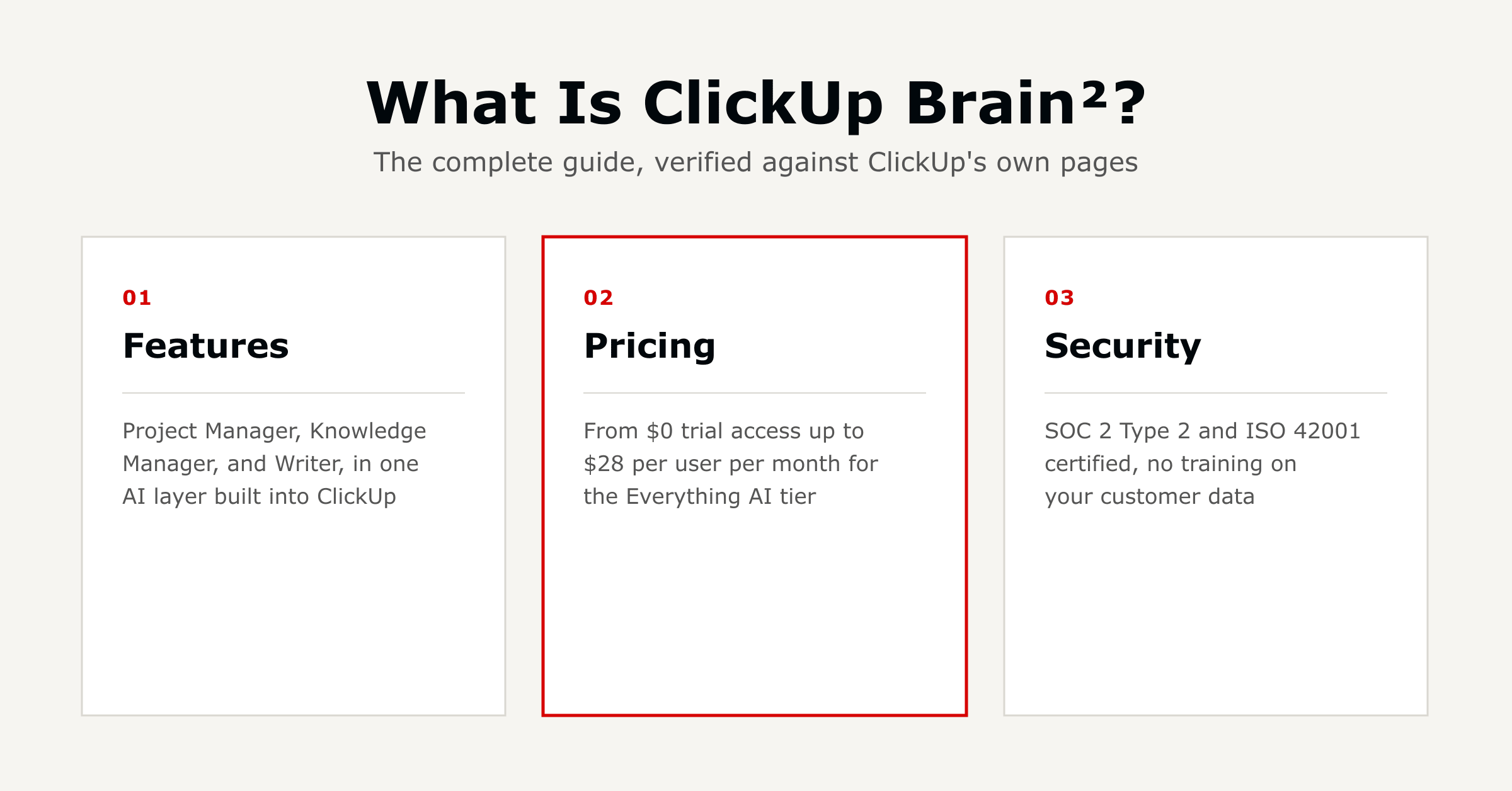
ClickUp Brain is ClickUp's built-in AI layer, now called Brain² with expanded capabilities. It connects your tasks, docs...
Read
Last verified July 2026. ClickUp has four plans, and the tier you pick is one part of the picture. Seats, the ClickUp Br...
ReadField notes on AI operations and service management, direct to your inbox. New insights, the week we publish them.
No spam. Unsubscribe any time.