A ticket form is the curated set of fields a request arrives with. How forms are built in Zendesk, and the five problems the right form solves.
-
/
3 min watch
Chapters
What a ticket form does in Zendesk
A ticket form is a curated set of fields a customer or agent fills in when a ticket is raised. It replaces the single generic description box. The form defines which fields appear, in what order, and whether they are required.
Forms sit in the Admin Center under Objects and rules. A refund form carries the system fields Subject and Description, then the two fields the refund actually needs, Product Type and Serial Number.
The five problems a form solves
Required fields end the back and forth over missing details. Tickets arrive pre-labeled, so routing is faster. Structured fields make reporting possible without reading free text. Agents see only the fields that matter to the request. End users fill in less.
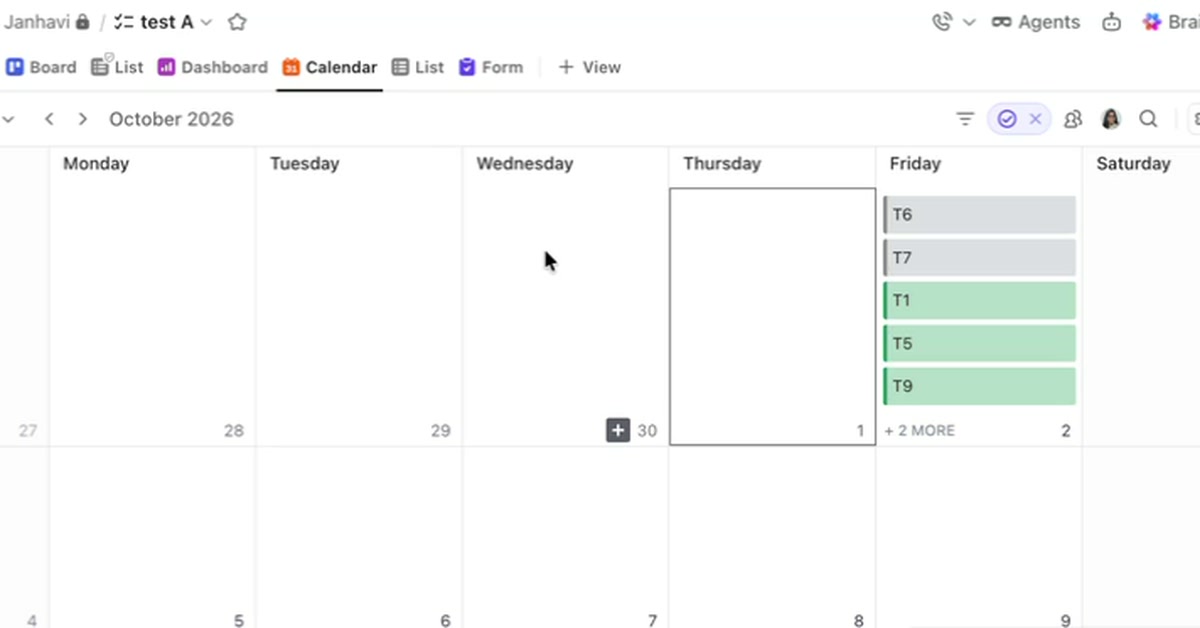
A list shows what needs doing but not when it happens. How ClickUp's Calendar view places tasks on a calendar by their dates, what a task needs to appear there, and how filters and color coding shape what the calendar shows.
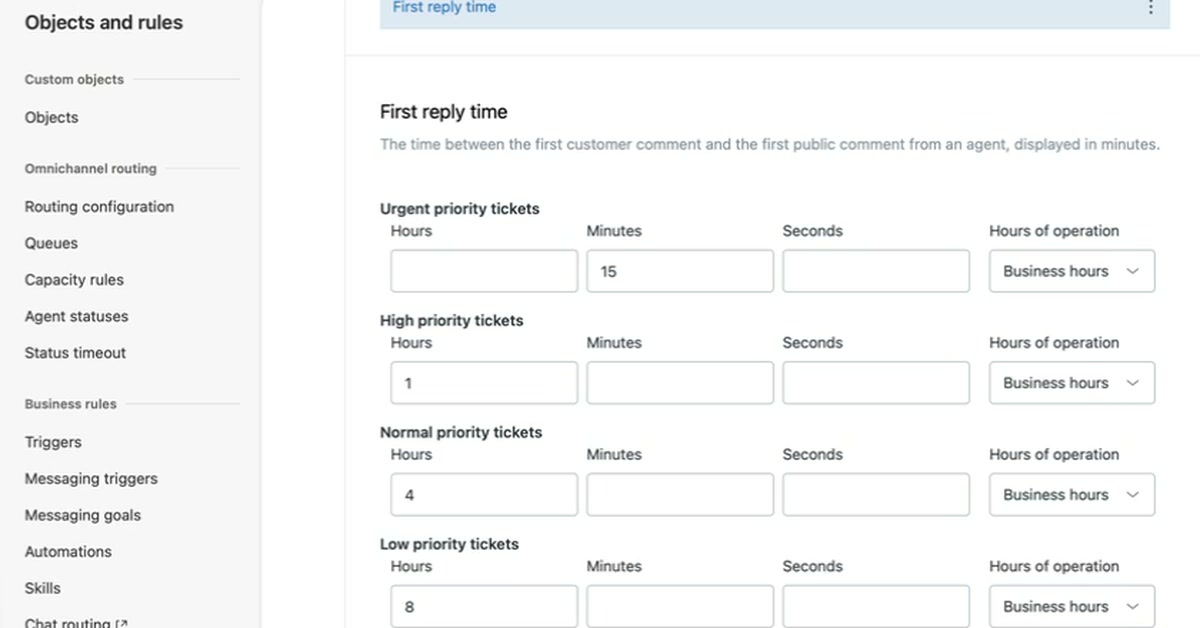
An SLA policy sets how quickly a support team must reply to and resolve tickets. How to create one in Zendesk Admin Center, set first reply time targets by priority in business hours, and confirm the policy applies to a new ticket.
Assignee cards on a ClickUp dashboard show who holds the work and what is still unassigned, with no setup beyond adding the card. How to add them from the card library, switch between chart styles, and narrow a card to one person.
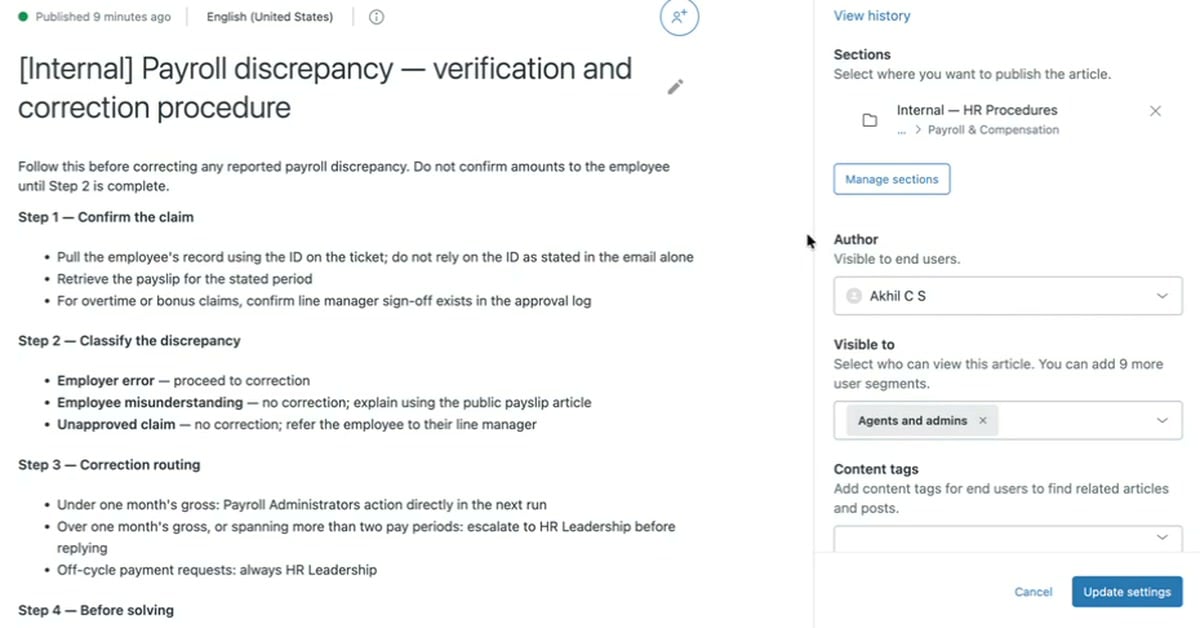
A help desk needs answers customers can read and procedures only agents should see. How an internal article in Zendesk appears in the knowledge panel on a ticket, and the one setting that makes an article internal.
3 min/Oct 2026
Watch
New resources, as soon as they land.
Whitepapers, datasheets, recorded sessions, and field notes on operating AI. Straight to your inbox, the week we publish.