What a ClickUp Diamond Partner Actually Does
There are hundreds of ClickUp implementation partners. Most of them can configure a workspace, build some automations, a...
ReadNine ClickUp workflows for law firms across the matter lifecycle, plus what ClickUp does not do: trust accounting, conflict checks, and electronic filing.
 L5 Team
Law firms and solo lawyers use ClickUp as the work layer around a matter: intake, deadlines, document collaboration, billable time capture, workload and firm operations. It handles law firm task management well and legal practice management not at all. It is not a legal practice management system, and it does not do trust accounting, formal conflict checks, court-rules deadline calculation or e-filing. Below are nine workflows mapped to the matter lifecycle, an honest account of where ClickUp stops, the client-access setup, and the plan tier each of these needs.
Start here, because most articles on this topic skip it. ClickUp runs the work; it is not a system of record for client funds or filings. Firms that understand the split get value quickly. Firms that expect ClickUp to replace Clio or Rocket Matter outright do not. Our complete ClickUp review covers the platform's actual limits, and one firm's consolidation onto ClickUp shows how much of a legal stack the work layer can absorb.
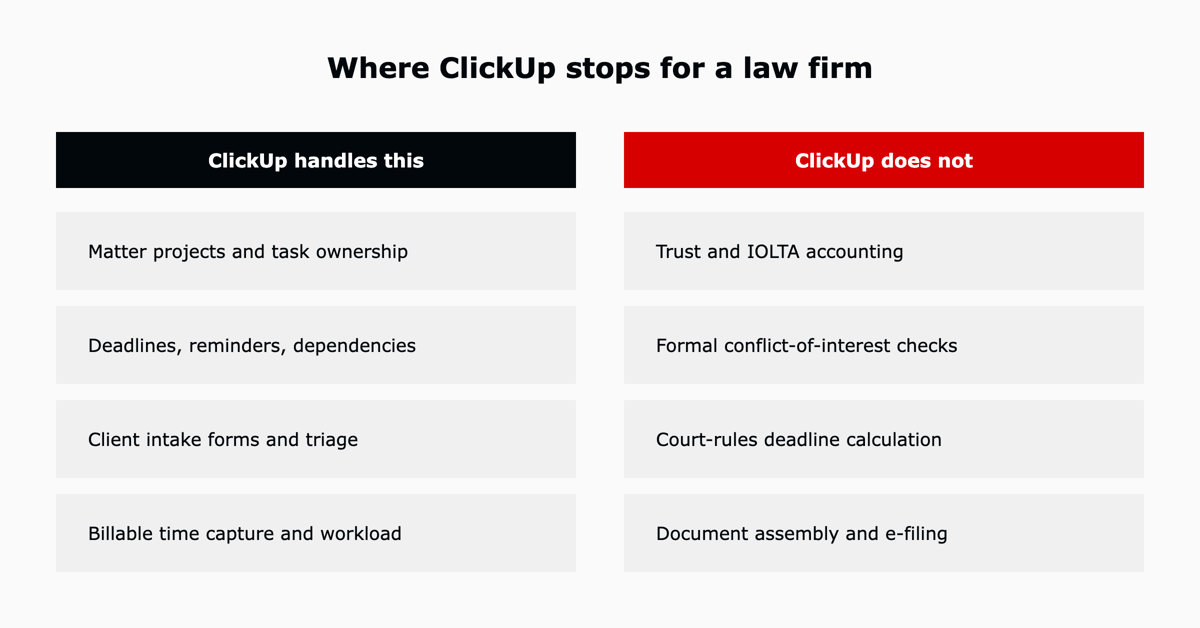
| ClickUp handles | Practice management software still owns |
|---|---|
| Matter projects, task ownership and status | Trust and IOLTA accounting |
| Deadlines, reminders and dependencies | Formal conflict-of-interest checking |
| Client intake forms and triage | Court-rules-based deadline calculation |
| Document collaboration and firm knowledge | Document assembly from templates |
| Billable time capture and workload | Electronic court filing |
| Firm operations: hiring, marketing, compliance tasks | Statutory client ledger and billing of record |
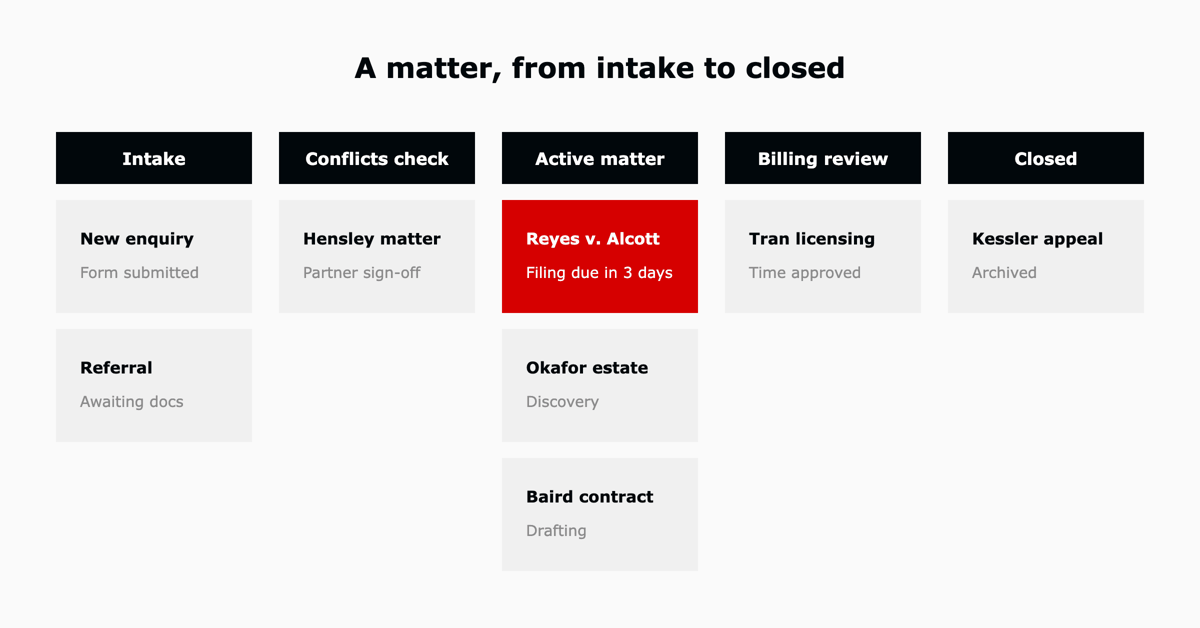
| Stage | Workflow | What powers it in ClickUp |
|---|---|---|
| Intake | Client intake and triage | Forms with conditional logic, task templates |
| Intake | Client communication log | Task comments, email in ClickUp, custom fields for client type |
| Matter | Matter and case management | Folder per practice area, List per matter, checklists and subtasks |
| Matter | Deadline and calendar control | Due dates, dependencies, Calendar view, external calendar sync |
| Matter | Legal research and knowledge | Docs, tasks per research question, search across the workspace |
| Billing | Billable time tracking | Native time tracking, billable flags, time reporting by matter |
| Firm ops | Workload and capacity | Workload view, time estimates, Team view |
| Firm ops | Compliance and CLE tracking | Recurring tasks, checklists, custom fields for renewal dates |
| Firm ops | Hiring, onboarding and business development | Templates, dashboards, pipeline statuses |
Client intake and triage. A ClickUp form captures the enquiry and creates a structured task, with conditional questions that change by matter type. In practice: a personal injury enquiry and a commercial contract enquiry arrive on the same board with the different fields each one needs, so the partner triaging them is not chasing basics. We wrote up how task management changed at one firm after onboarding.
Client communication log. Comments, email in ClickUp, and custom fields keep the correspondence record attached to the matter rather than scattered across inboxes. In practice: a paralegal picking up a colleague's matter reads the thread on the task instead of asking to be forwarded three email chains.
Matter management and case management. A Folder per practice area, a List per matter, and checklists that break litigation stages into steps with owners. In practice: discovery on a matter is a checklist with named owners and dates rather than a shared understanding that someone is handling it. L5 maintains prebuilt ClickUp templates for law firms covering the common matter types.
Deadline and calendar control. Due dates with dependencies, Calendar view, and sync to Google Calendar or Outlook. In practice: a rescheduled hearing moves the dependent preparation tasks with it, and everyone assigned sees the change without an email.
Legal research and knowledge. Research questions as tasks, findings in ClickUp Docs, organised by jurisdiction or issue. In practice: an associate searching a question the firm already researched two years ago finds the memo instead of billing the research again.
Billable time tracking. Native time tracking with billable flags, reported by matter and by fee earner. In practice: time is captured on the task while the work is happening, so the monthly billing review starts from a record rather than from reconstruction. The figures still go to your billing system of record; ClickUp is the capture and review layer.
Workload and capacity. Workload view with time estimates shows which fee earners are over-committed before a new matter is accepted. In practice: a partner checks capacity before saying yes to a matter, rather than discovering the problem at the first deadline.
Compliance and CLE tracking. Recurring tasks and custom fields for bar admissions, CLE credits, insurance renewals and policy reviews. In practice: a continuing education deadline generates a task in advance rather than surfacing in an email nobody read. Our guide to tracking continuing education in ClickUp covers the mechanics.
Hiring, onboarding and business development. Templates for new-joiner onboarding, plus a pipeline board for referrals and business development. In practice: a new associate's first two weeks are a template with the systems access, training and supervision check-ins already scheduled.
The most valuable of the nine is usually deadline control, because a missed deadline is the one operational failure in a law firm that becomes a professional liability problem rather than a productivity one.
ClickUp guests are invited at a specific point in the hierarchy and see only what sits inside it. Inviting a client at their matter Folder gives them their own matter and nothing else, which is what makes client-facing use viable in a firm. Practical rules:
| Plan | What the tier adds for a firm | Verdict |
|---|---|---|
| Free Forever | Core tasks, one form, 60MB total storage, 100 automations a month | Evaluation only. No guest access, and 60MB will not hold matter documents. |
| Unlimited | Guest permissions, unlimited storage, Gantt, native time tracking, 1,000 automations a month | Workable for a small firm. Time tracking and client guests both arrive here. |
| Business | Unlimited dashboards, Workload and Timeline views, advanced time tracking, 5,000 automations a month | The practical tier for a firm with several fee earners and real capacity questions. |
| Enterprise | SSO, audit logs, higher automation ceiling | Where client or regulatory obligations require access logging and single sign-on. |
Per-seat costs and the annual-versus-monthly difference are in our ClickUp pricing guide. Firms arriving from another tool should read the ClickUp migration guide before moving matter documents.
Not entirely. ClickUp handles matter projects, deadlines, tasks, documents, intake and billable time capture. It does not do trust or IOLTA accounting, formal conflict-of-interest checks, court-rules-based deadline calculation, document assembly or electronic filing. Most firms keep a practice management system for those and run everything else in ClickUp.
ClickUp for lawyers in a one to five person practice usually earns its place on the Unlimited tier: matter checklists, deadlines with reminders, client intake forms and billable time capture, without the cost of a full practice management suite. What it still will not do is trust accounting or court-rules deadline calculation, so a small practice either handles those manually or keeps a lightweight practice management tool alongside it.
It depends which job you are solving. For statutory obligations, trust accounting and filing, a dedicated legal practice management platform is not optional. For the work around the matter, intake, deadlines, delegation, knowledge and capacity, a configurable work platform like ClickUp usually beats the project features bundled into practice management software. Many firms run both deliberately.
Yes. Native time tracking records time against tasks with billable flags, and time can be reported by matter, client or fee earner. Advanced time tracking and unlimited dashboards for that reporting are Business-plan features. The billing system of record stays wherever your invoicing lives.
ClickUp offers permission controls, private Lists and Spaces, guest scoping, and on Enterprise, single sign-on and audit logs. Whether that satisfies your obligations is a question for your firm's risk assessment and your client engagement terms, particularly around data residency and retention. Scope the sensitive categories before you migrate matter documents rather than after.
A Space per practice area, a Folder per matter, and Lists inside the matter for the stages of that work. Firm operations belong in a separate Space that no client guest is invited to. Consistent structure across matters is what makes workload views and deadline reporting possible.
Yes, by inviting them as a guest at their own matter Folder. A guest sees everything inside the Folder they were invited to and nothing beside or above it. Guest permissions require a paid plan, starting at Unlimited.
L5 has onboarded more than 600 customers onto ClickUp in two years, law firms among them, and the nine workflows above exist as prebuilt accelerators rather than as suggestions. Our ACT methodology compressed ClickUp onboarding from 55 days to 7 by settling the structure, the intake forms and the deadline model before configuration starts, then operating the workspace week after week instead of handing over a build and leaving.
As a ClickUp Diamond and Preferred Partner, L5 builds and runs these workflows for firms. Contact us to see the legal accelerators.


The full article with its figures, tables and sources, set for reading offline, printing, and sharing.
On its way to your inbox You can also download it right now.
Download the PDF Last updatedKeep reading
There are hundreds of ClickUp implementation partners. Most of them can configure a workspace, build some automations, a...
Read
ClickUp is a productivity tool. L5 can configure ClickUp to suit the specific needs of various industries, including law...
Read
Last verified July 2026. Connecting ClickUp to Make.com takes about five minutes and no code. You create a scenario in M...
ReadField notes on AI operations and service management, direct to your inbox. New insights, the week we publish them.
No spam. Unsubscribe any time.