Streamlining CRM with ClickUp
A Look Into How L5 Uses ClickUp CRM At L5, we strive to maintain strong relationships with our customers, as they are th...
ReadMigrate to ClickUp in six steps, with a source-by-source list of what each importer does not carry over, from Jira and Asana to Monday.com and spreadsheets.
 L5 Team
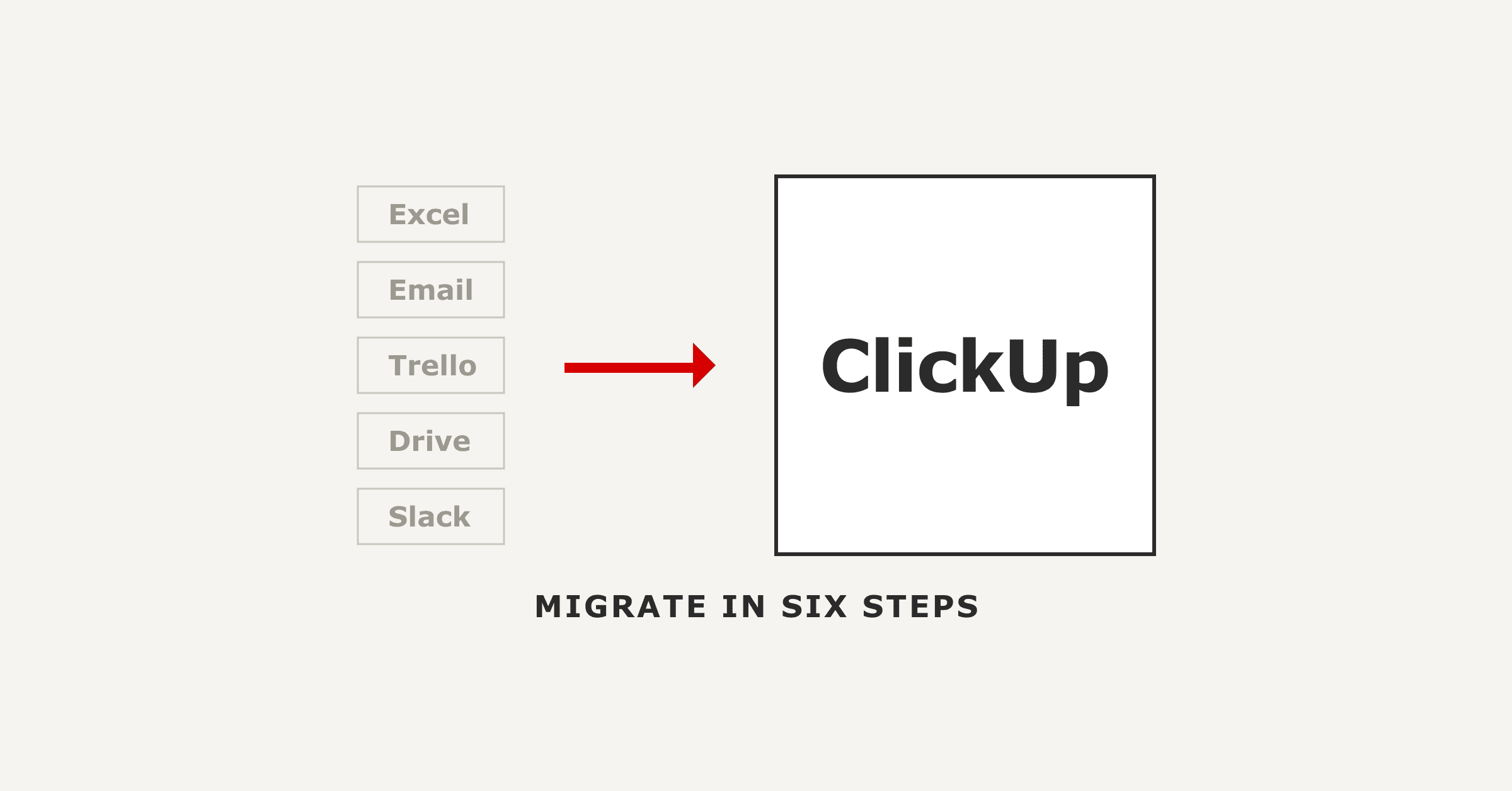
Migrating to ClickUp has two halves. ClickUp's native importers move your tasks, comments and attachments across from Asana, Monday.com, Jira, Trello, Wrike, Basecamp, Notion, Confluence, Teamwork, Todoist, Slack, or a spreadsheet. Everything the importer will not carry, and the workspace design nobody else can make for you, is the other half. A ClickUp data migration is judged on the second half. This guide covers the six-step sequence, what each importer leaves behind, and the decisions that determine whether your team actually uses the result.
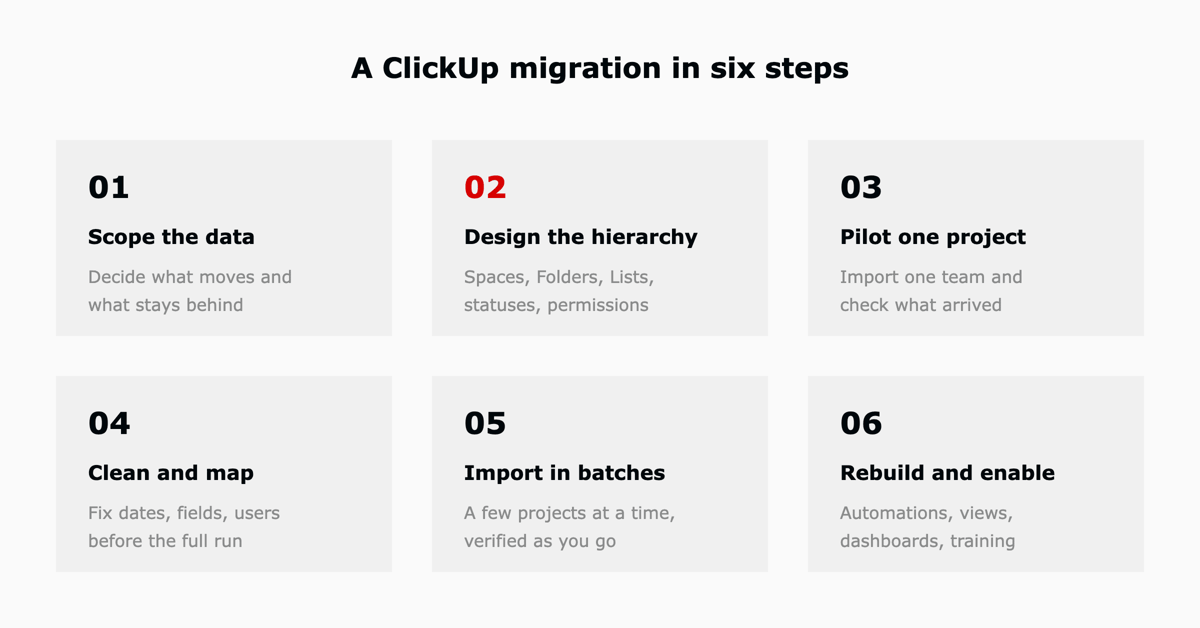
Treat this as your ClickUp migration checklist. The order matters more than the tooling. Running the import before the workspace is designed is the most common way a migration produces a workspace nobody wants to open.
ClickUp maintains native importers for eleven applications plus a spreadsheet importer for everything else. An Asana to ClickUp, Monday.com to ClickUp or Trello to ClickUp move is a supported path with its own importer. If your tool is not on the list, exporting to CSV and using the Spreadsheets importer is the supported path.
| Source | How it lands in ClickUp |
|---|---|
| Asana | Each project becomes a Space or a Folder with a List. Sections map to Label custom fields, separate Lists, or statuses, your choice during the import. |
| Monday.com | Boards become Folders and Lists. Board groups or the status column become your ClickUp statuses. |
| Jira | Projects become Spaces. Epics and stories land as tasks and subtasks, or as related Lists. Statuses, custom fields and users are mapped during the import. |
| Trello | Boards become Folders. Columns become either statuses or Lists. |
| Wrike, Basecamp, Teamwork, Todoist | Native importers, project-to-List mapping. |
| Notion, Confluence | Native importers aimed at documents and knowledge bases. |
| Slack | Native importer for turning conversations into tasks. |
| Excel, Google Sheets, CSV | Spreadsheets importer. One row per task, one column per field. |
Source: ClickUp's import documentation, verified August 2026. ClickUp changes importer coverage without notice, so confirm your source tool before you commit to a date. If you are still weighing whether ClickUp is the right destination, our complete ClickUp review covers the feature set and the gaps.
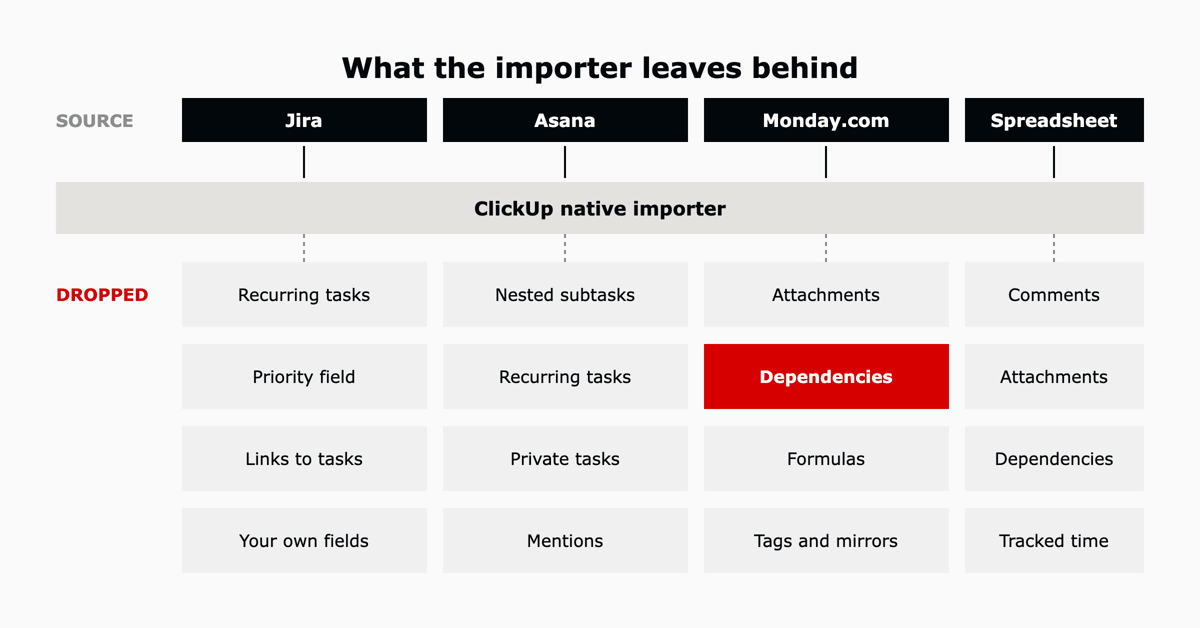
This is the part that surprises teams. Every importer has documented gaps, and they are different for every source tool. Reading them before you plan is the difference between a two-week migration and a six-week one.
| Source | Does not transfer |
|---|---|
| Jira | Recurring tasks, timestamps, the Priority field, links between tasks, and any custom field you defined yourself. Only Jira's built-in custom field types come across. Private comments arrive as public comments. Time logged on issues is reassigned to whoever runs the import. |
| Asana | Freestanding tasks that are not in a project, nested subtasks, tasks shared between projects, recurring tasks, private tasks, and @mentions. |
| Monday.com | Attachments, dependencies, formulas, mirrors, connected boards, timeline, buttons, info boxes and tags. Dependencies are the expensive one: rebuilding them by hand is usually the largest manual task in a Monday.com migration. |
| Trello | Cover images. Imported custom fields also arrive hidden and have to be added to your List view before anyone can see them. |
| Spreadsheet | Comments, attachments, dependencies and tracked time. The importer handles task fields only. |
Jira carries enough of its own traps to need separate treatment, from the hierarchy choice you make once to the way logged time is reassigned. Those are covered in our Jira to ClickUp migration guide.
Recurring tasks do not transfer from Jira or Asana. Write them down before you export, because after the import there is no record that they existed.
Plenty of teams are not leaving a tool, they are leaving a spreadsheet. The Spreadsheets importer treats each row as a task and each column as a field. Task Name is the only required column. Priority uses numeric codes rather than words: 1 for Urgent, 2 for High, 3 for Normal, 4 for Low. Every unique value in a List column becomes its own ClickUp List, which makes the spreadsheet itself the fastest way to define your starting structure.
Data movement is the mechanical half. These four questions decide whether the workspace holds up six months later, and no importer will answer them.
Click your Workspace avatar, select Settings, then Imports / Exports, and choose your source. ClickUp has native importers for Asana, Basecamp, Confluence, Jira, Monday.com, Notion, Todoist, Teamwork, Trello, Slack and Wrike, plus a Spreadsheets importer for CSV and Excel data. Each importer walks you through mapping projects, users, statuses and custom fields before the import runs.
It depends on the source. Recurring tasks do not transfer from Jira or Asana. Jira also loses timestamps, the Priority field, links between tasks and any custom field you defined yourself. Monday.com loses attachments, dependencies, formulas and tags. Asana loses nested subtasks, private tasks and @mentions. Automations, dashboards and views do not transfer from any source and have to be rebuilt.
The import itself runs from one minute to a few hours depending on data volume and the source tool's API rate limits. The full migration, including hierarchy design, a pilot, cleanup and training, is the part that takes weeks rather than hours. Importing in batches makes the total longer but the result verifiable.
Yes. The Spreadsheets importer takes CSV and Excel files with one row per task. Task Name is the only required column, and supported fields include status, priority, assignee, start and due dates, tags, subtasks and checklists.
Import what the team will use again and archive the rest in the old tool before you export. Every extra project you carry across is a project someone has to re-triage in a workspace they do not know yet. ClickUp's own guidance for large Jira imports is to delete old projects and attachments before exporting.
L5 has run ClickUp onboarding for more than 600 customers in two years, and the pattern is consistent: the import is rarely what goes wrong. The hierarchy, the status model and the automations that replace the old ones are what decide whether a team is productive in week two or still arguing about structure in month three. Our ACT methodology compressed ClickUp onboarding from 55 days to 7 by making those decisions first and treating the import as one step inside them.
As a ClickUp Diamond and Preferred Partner, L5 runs its own business on ClickUp and onboards client teams onto it every week. Talk to us about scoping your migration.


The full article with its figures, tables and sources, set for reading offline, printing, and sharing.
On its way to your inbox You can also download it right now.
Download the PDF Last updatedKeep reading
A Look Into How L5 Uses ClickUp CRM At L5, we strive to maintain strong relationships with our customers, as they are th...
Read
ClickUp's Jira importer moves projects, issues, subtasks, comments, attachments, dependencies and statuses across, and i...
Read
ClickUp can be a valuable tool for managing and tracking Continuing Medical Education (CME) activities.
ReadField notes on AI operations and service management, direct to your inbox. New insights, the week we publish them.
No spam. Unsubscribe any time.