ClickUp Pricing 2026: Plans, Costs, and What You Actually Pay
Last verified July 2026. ClickUp has four plans, and the tier you pick is one part of the picture. Seats, the ClickUp Br...
ReadThe complete guide to ClickUp Brain, now Brain², covering what it does, current pricing, security, and how it compares to Asana and Notion AI.
 L5 Team
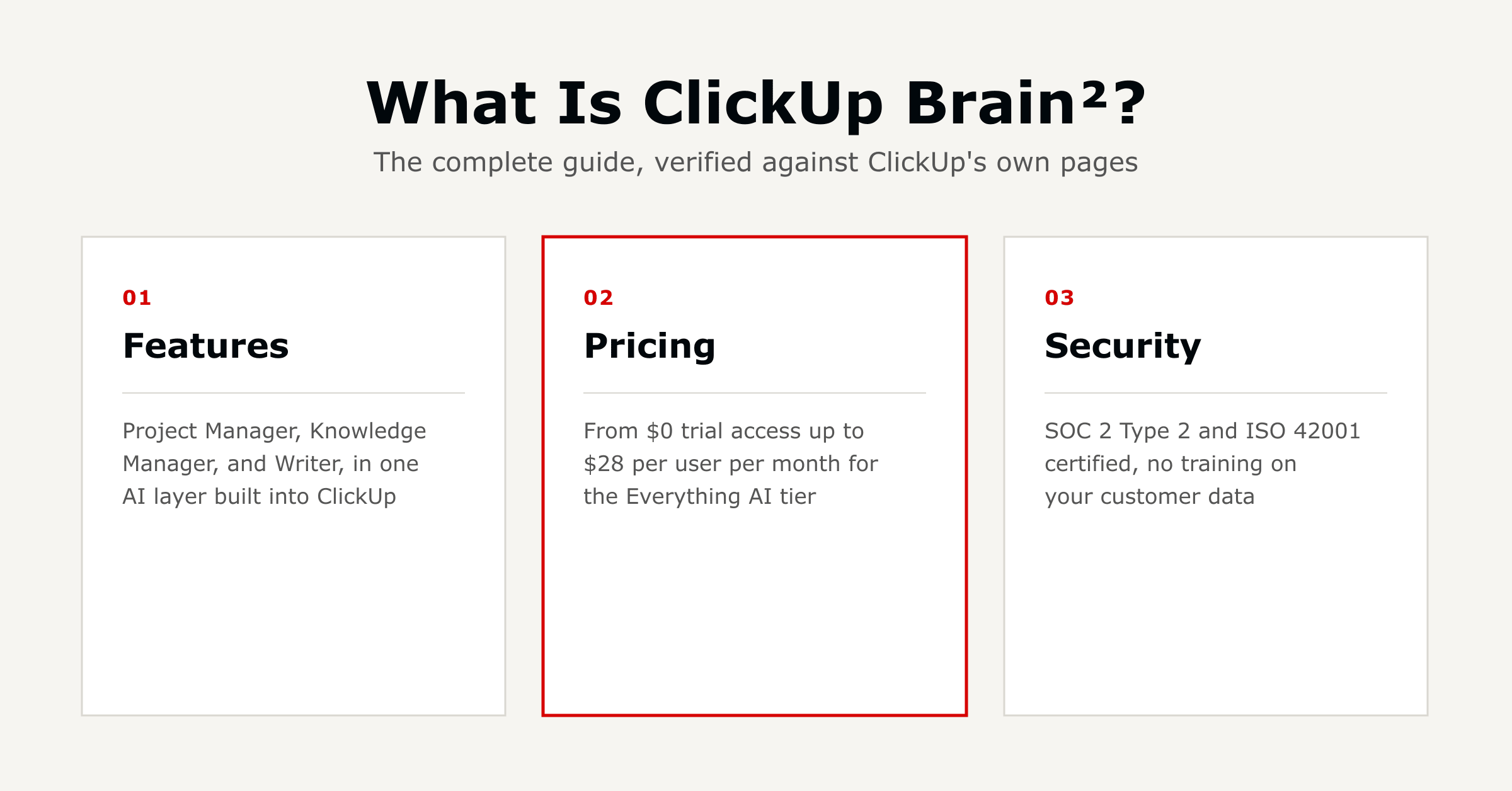
ClickUp Brain is ClickUp's built-in AI layer, now called Brain² with expanded capabilities. It connects your tasks, docs, chat, and calendar, so you can ask questions and generate updates without briefing a separate AI tool first.
This guide covers what it does, what changed with the Brain² update, current pricing, security, and how it compares to Asana, monday.com, and Notion.
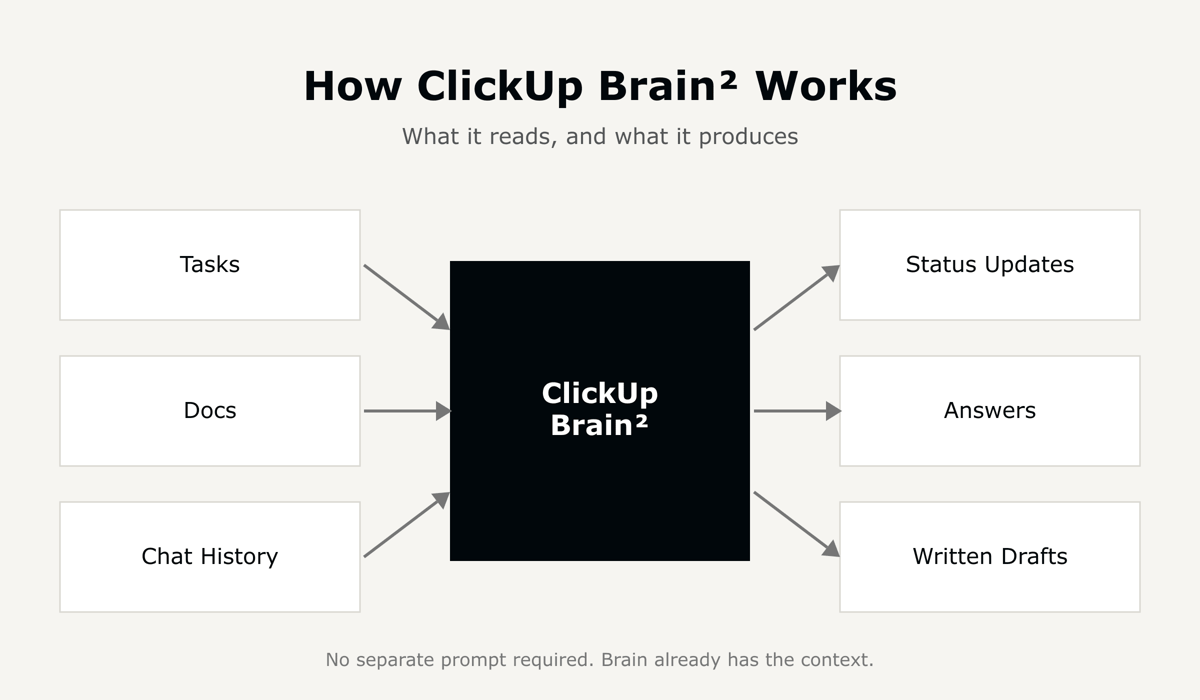
ClickUp Brain² is the AI layer built into ClickUp. It stays connected to your docs, tasks, people, and calendar, so it can answer questions and generate updates using context it already has.
ClickUp organizes it around three surfaces: AI Chats for persistent conversations, AI Channels for topic-scoped discussions, and AI Tasks for structured work Brain² can create and update directly.
It replaces several separate AI tools by handling project updates, document collaboration, and writing from inside the same platform you already use for tasks and goals.
ClickUp rebranded its AI from ClickUp Brain to Brain², positioning it as more of a team extension than a single assistant. The one concrete change is model choice.
Brain² lets you switch between Claude, GPT, and Gemini with a single click, instead of one fixed default model. Every model gets the same workspace context and the same permissions, so switching models doesn't change what Brain² already knows. See ClickUp's own Brain page for the current feature set.
Brain MAX is a separate, free-to-download AI app for Mac, Windows, iOS, Android, and Chrome. It's not a pricing tier.
Its headline feature is Talk to Text, voice input across your apps instead of typing. ClickUp claims it's roughly 4 times faster than typing (220 words per minute by voice versus about 45 by keyboard), a vendor figure worth testing against your own team rather than taking at face value.
It also adds cross-app search, voice commands, and premium model access for coding and writing without switching windows. Usage limits vary by ClickUp plan.
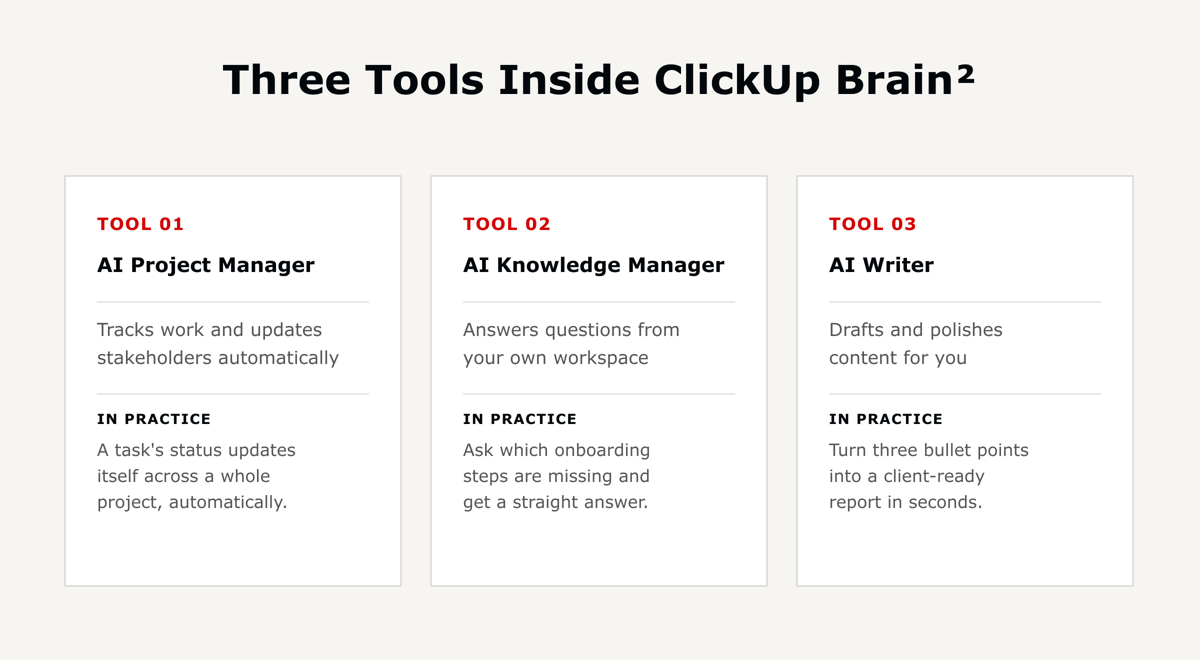
ClickUp Brain's capabilities break down into three tools:
Beyond these three, Brain² also includes Autopilot Agents that track and report on a defined workflow, AI Fields that update themselves as work progresses, and no-code Custom Agents for building a task-specific assistant.
The AI Project Manager tracks work and keeps stakeholders updated without manual follow-up:
The AI Knowledge Manager answers questions using what's already stored in your workspace, so you spend less time searching for answers you already have:
The AI Writer drafts content directly inside ClickUp docs and tasks:
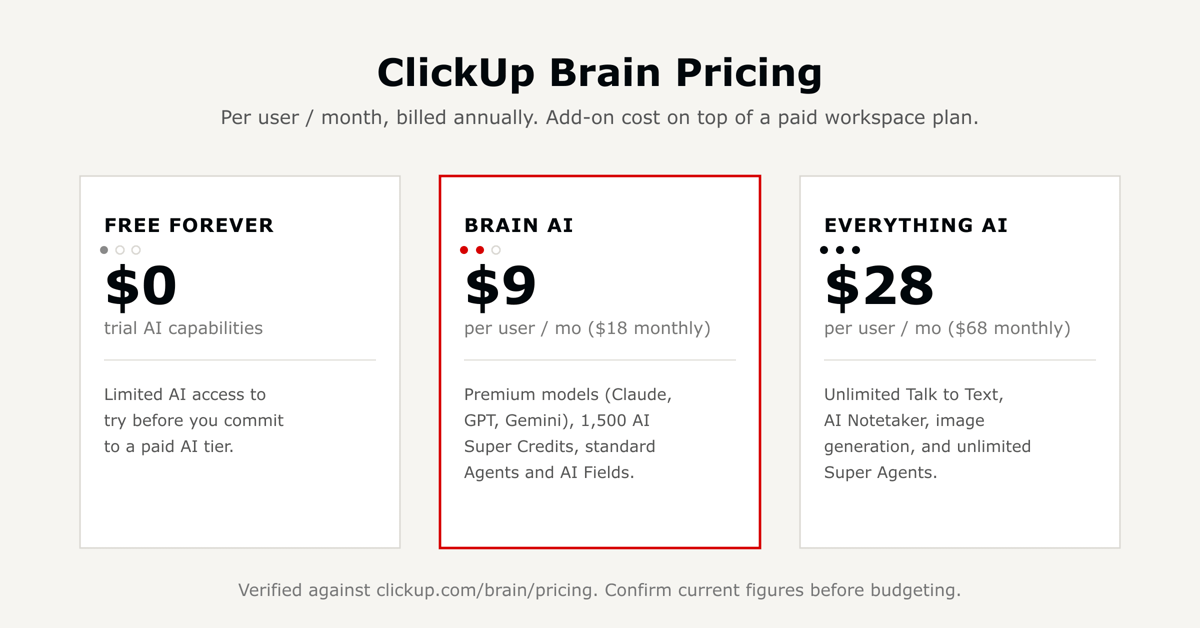
ClickUp Brain is priced as an add-on on top of a paid ClickUp workspace plan, not a replacement for one.
Standalone add-ons are also available regardless of tier: extra AI Super Credits, Talk to Text on its own, AI Notetaker by the hour, and a one-time live training session. ClickUp also commits to passing on model-cost savings and phasing in any provider price increases gradually rather than all at once.
ClickUp's pricing page prices Brain² separately from the base workspace plan, so there's no single published total-cost figure. Budget for the workspace plan and the AI tier as two line items, and confirm current numbers before committing, since AI pricing has changed more than once already. The ClickUp pricing guide works both line items out together for teams of 10, 25, and 50.
ClickUp says Brain² answers using in-context learning: it generates responses from the immediate prompt and workspace context, without permanently storing that information for model training.
Its stated policy is that AI partners are contractually barred from using workspace data to train their models, and that permissions and security controls stay the same no matter which model is handling a request.
ClickUp holds SOC 1, SOC 2, and SOC 3 certifications with independent annual audits, plus ISO 27001, 27017, 27018, and 27701. It also states it was among the first platforms to achieve ISO 42001, the current global standard for AI management systems, a more AI-specific credential than most competitors publish.
GDPR and HIPAA compliance are referenced on ClickUp's security page too. Confirm current scope and any required Business Associate Agreement directly with ClickUp before relying on either for a regulated workflow.
Asana, monday.com, and Notion have each shipped their own AI approach. Asana ships pre-built AI Teammates plus a no-code automation builder and a daily-priority digest called Dash.
monday.com centers on Sidekick as its AI entry point and Vibe for generating views without code, both drawing from one shared credit pool. Notion centers on Notion Agent for multi-step tasks, plus meeting notes and cross-app search, mostly on its higher-tier plans.
ClickUp's differentiator is bundling direct switching between Claude, GPT, and Gemini in one subscription, rather than defaulting to a single model. All three competitors offer some form of multi-model or cross-tool AI connector too, so the real difference is packaging and depth, not a capability unique to ClickUp.
Independent user feedback on ClickUp Brain is consistent with what a workspace-native AI should do well, and where it still needs a human check.
Answers and drafts are grounded in your workspace's real tasks and history, not generic output. Switching between AI models avoids locking a team into one vendor's quality or pricing. The stated data-privacy posture, no training on customer data, is a checkable commitment, not just marketing language.
A few things to plan around: answer quality tracks the quality of your underlying workspace data, so a messy workspace gets messier AI answers.
Brain² works natively with ClickUp Docs, so check current support before assuming it can analyze an arbitrary uploaded PDF the same way. And it's a paid add-on layered on top of a workspace plan, so budget for it as a separate line item.
ClickUp Brain² connects your tasks, docs, and team knowledge into three tools: an AI Project Manager, an AI Knowledge Manager, and an AI Writer. It's used to get status updates, answers, and drafts without leaving ClickUp.
The main functional change is model choice. Brain² lets you switch between Claude, GPT, and Gemini with a single click, rather than using one fixed default model.
Brain MAX is a separate, free-to-download AI app for desktop, mobile, and Chrome, built around voice input (Talk to Text) and cross-app search. It's an app, not a ClickUp Brain pricing tier.
As of this writing, Brain AI runs $9 per user per month billed annually ($18 billed monthly), and the broader Everything AI tier runs $28 per user per month billed annually ($68 billed monthly).
Both are add-ons on top of a paid workspace plan. Confirm current figures on ClickUp's Brain pricing page, since AI pricing changes more often than base plan pricing.
Yes. Brain² lets you switch between Claude, GPT, and Gemini with a single click. Every model gets the same workspace context and the same permissions.
It automates status updates, breaks tasks into subtasks, sets notifications, and surfaces project data automatically, reducing the manual follow-up a project manager would otherwise do by hand.
ClickUp's AI subprocessors are contractually restricted from using customer data to train models, and data isn't permanently retained by third-party AI providers. ClickUp also holds SOC 2 Type 2 and ISO 42001 certifications, among others.
All four platforms now ship agent-style AI. ClickUp bundles multiple frontier AI models in one subscription; Asana leans on pre-built AI Teammates; monday.com centers on Sidekick and Vibe with a shared credit pool; Notion centers on Notion Agent for multi-step tasks, mostly on higher-tier plans.
No. ClickUp Brain is an add-on purchased on top of a paid workspace plan, Free, Unlimited, Business, or Enterprise, not something every plan includes automatically.

The full article with its figures, tables and sources, set for reading offline, printing, and sharing.
On its way to your inbox You can also download it right now.
Download the PDF Last updatedKeep reading
Last verified July 2026. ClickUp has four plans, and the tier you pick is one part of the picture. Seats, the ClickUp Br...
Read
ClickUp works well for construction project management when it is set up around how a job actually runs: phases on a liv...
Read
The average enterprise ITSM implementation takes between six and eighteen months.[2] In that time, the implementation te...
ReadField notes on AI operations and service management, direct to your inbox. New insights, the week we publish them.
No spam. Unsubscribe any time.