
Knowledge Management: L5's Success with ClickUp
At L5, we recognize the importance of practical knowledge management in driving organizational success. Therefore, we ha...
ReadThe 7 most common ClickUp implementation challenges, from feature overload to adoption, and the fix for each, plus how L5 gets teams live in about 5 days.
 L5 Team
Most ClickUp implementations do not fail on the software, they stall on the rollout: too many features switched on at once, a rushed hierarchy, and training that never quite happens. The good news is that every common challenge is solvable, and each one has a fix a team can apply itself or hand to a partner. Below are the seven that come up most, what causes each, and how to resolve it.
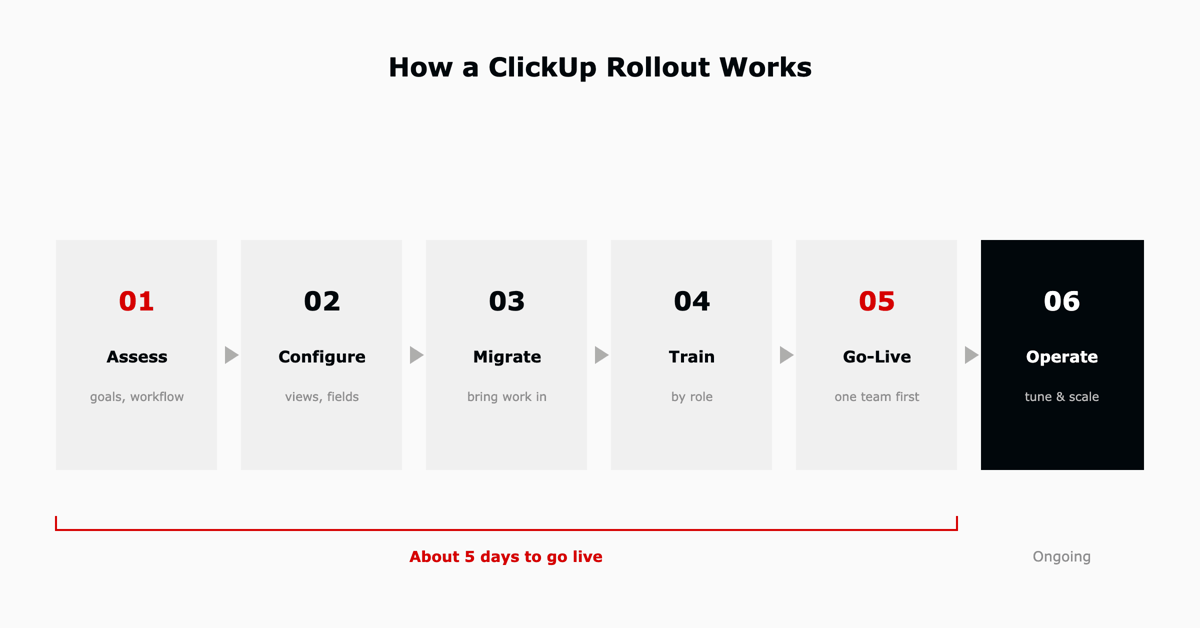
ClickUp's flexibility is its biggest strength and the source of most rollout trouble. Because almost everything is configurable, teams that turn it all on at once end up with a workspace no one trusts. The teams that succeed treat implementation as a sequence: assess, configure, migrate, train, go live, then operate, adding depth only once the basics are working.
ClickUp's depth is what makes it powerful, and what overwhelms new users. Teams lose time trying to navigate and configure every module before they understand which ones they need. The fix is sequencing: define the team's goals first, start with one or two simple views, and introduce advanced features only once the basics stick. ClickUp's onboarding resources and templates shorten that ramp considerably.
The same customization that lets ClickUp fit any workflow makes initial setup slow, especially custom fields and automations. Start from your current workflow rather than the tool: map how work actually moves, then configure ClickUp to match it, and use templates to cut configuration time instead of building every field from scratch.
A tool no one is trained on gets underused, and underused tools get abandoned. Adoption is not a launch-day event; it is structured training plus a reason for each team to switch. Train by role, show each group the one or two views that make their week easier, and make the new workspace the only place the work lives so people are not maintaining two systems.
Connecting ClickUp to the rest of the stack, accounting, storage, chat, and code, is where a lot of rollouts slow down, because configuring and troubleshooting integrations is fiddly. Prioritize the two or three integrations that remove real double-entry, use ClickUp's native integrations and API where they fit, and lean on a partner for the connections that touch sensitive or complex systems.
As projects grow, teams that never tuned their workspace hit slow loads and cluttered views. Plan for scale from the start: keep the hierarchy clean, archive completed work, and set data-retention and storage settings deliberately rather than letting everything accumulate in one place.
Protecting company data during a rollout, and meeting rules like GDPR or HIPAA, is non-negotiable for regulated teams. Review ClickUp's security settings, set a clear permission model up front, control who can see what, and confirm the plan tier that covers your compliance needs before you migrate anything sensitive.
Landing on the right plan, and not paying for seats or features you do not use, takes attention. Match the plan to how the team actually works, review usage so inactive seats and unused add-ons get trimmed, and re-check pricing as the team grows. Our ClickUp pricing guide breaks down what each plan costs at different team sizes.
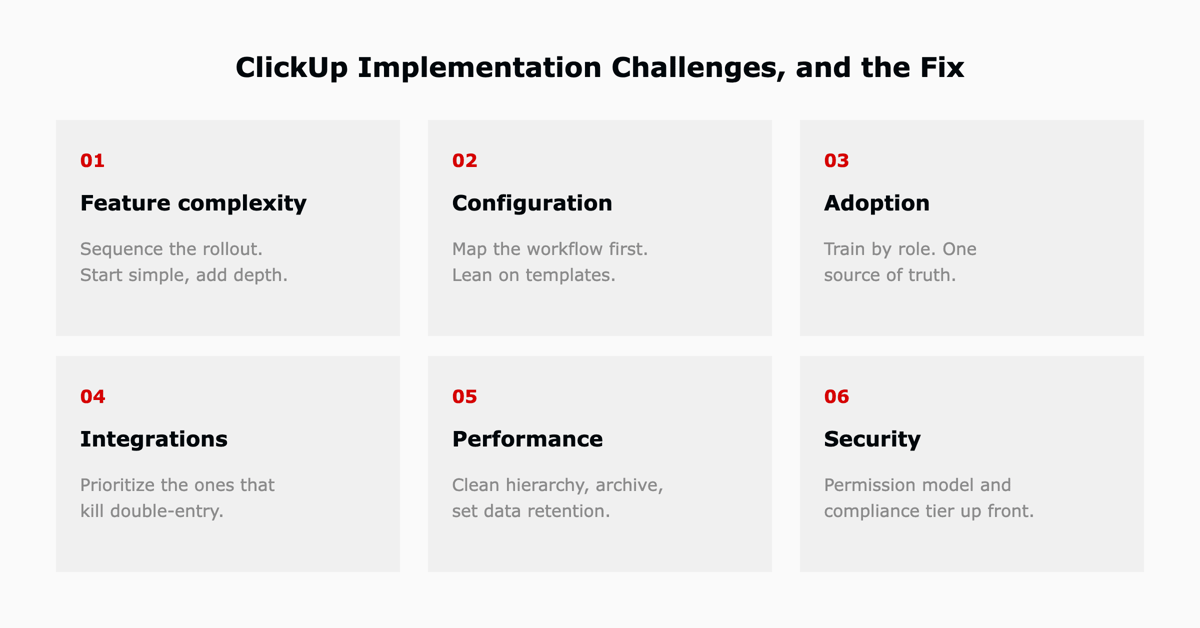
The pattern across all seven: the challenge is rarely the software, it is the rollout decisions made around it.
| Challenge | The fix |
|---|---|
| Complexity of features | Sequence the rollout; start simple, add depth later |
| Customization and configuration | Map the workflow first, then configure; use templates |
| User training and adoption | Train by role; make the workspace the single source |
| Integrating with existing tools | Prioritize integrations that remove double-entry |
| Performance and scale | Clean hierarchy, archiving, deliberate retention |
| Data management and security | Permission model and compliance tier set up front |
| Cost management | Right-size the plan; review seats and add-ons |
A small team with time and a simple workflow can absolutely set ClickUp up itself, starting from a template and adding depth as it goes. The calculus changes when the rollout spans multiple teams, touches integrations or compliance, or needs to be running quickly without months of trial and error. A ClickUp implementation partner or specialist compresses the timeline and removes the most common source of rework: a workspace architecture that has to be rebuilt later.
Key takeaway. None of these challenges are dealbreakers. They are the predictable friction of a flexible tool, and each has a known fix. The difference between a workspace a team relies on and one it abandons is almost always the rollout, not the software.
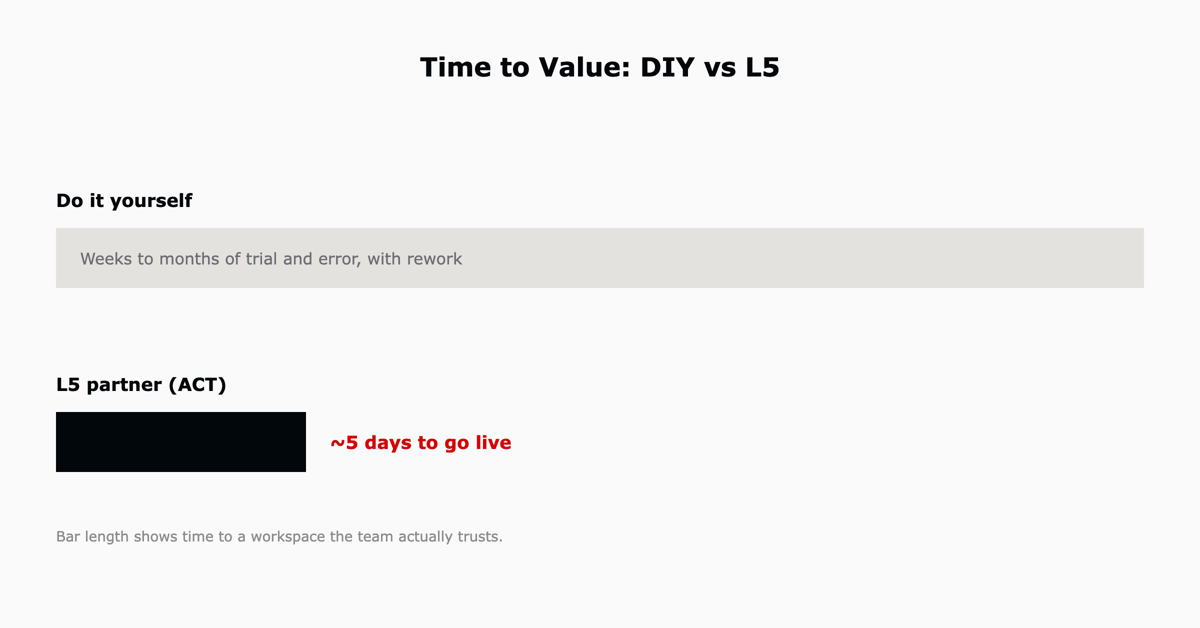
L5 is an official ClickUp Diamond Partner and has run more than 200 implementation projects. Through our ACT approach, teams go live in about five days with the workspace configured around how they actually work, plus the onboarding and training that make adoption stick, not just access granted. For a closer look at what that partnership involves, see what a ClickUp Diamond Partner actually does and our answers to 30 common ClickUp questions.

The most common challenges are feature complexity, slow customization and configuration, weak user training and adoption, integrations with existing tools, performance at scale, data management and security, and cost management. Each is a rollout decision rather than a flaw in the software, and each has a concrete fix.
A simple single-team setup can be running in days. A larger rollout across multiple teams, with integrations and training, takes longer if done alone. With L5's partner-led ACT approach, teams go live in about five days on a workspace built around how they work.
A small team with a simple workflow can set ClickUp up itself using templates. A partner makes sense when the rollout spans multiple teams, touches integrations or compliance, or needs to be running quickly, because it removes the most common source of rework: a hierarchy that has to be rebuilt later.
ClickUp is user friendly once it is set up around how a team works. Its depth means a rushed, everything-on setup feels overwhelming, while a sequenced rollout with role-based training feels effortless. A good implementation is what makes the difference.
ClickUp brings tasks, docs, chat, goals, and reporting into one workspace so a team can plan, collaborate, and track work in a single place instead of stitching together separate tools.

The full article with its figures, tables and sources, set for reading offline, printing, and sharing.
On its way to your inbox You can also download it right now.
Download the PDF Last updatedKeep reading
At L5, we recognize the importance of practical knowledge management in driving organizational success. Therefore, we ha...
Read
Reshaping a cumbersome Excel process into an efficient, cloud-based solution. Opportunity A surveillance services compan...
Read
At L5, we put our customers first and are committed to ensuring they achieve success using our products and services. To...
ReadField notes on AI operations and service management, direct to your inbox. New insights, the week we publish them.
No spam. Unsubscribe any time.