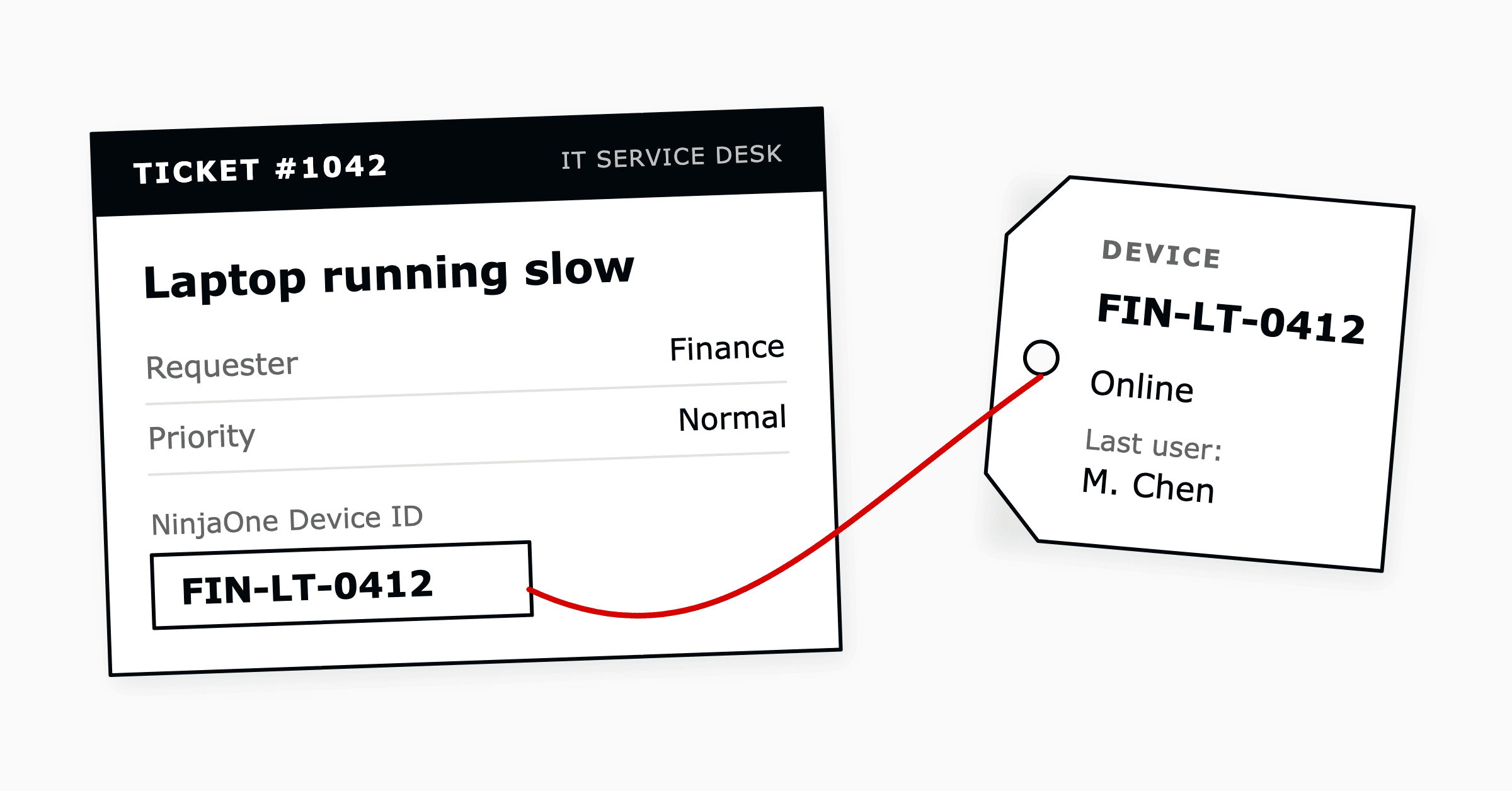
How to Connect NinjaOne to Zendesk, and What to Decide First
To connect NinjaOne to Zendesk, an administrator enables the Zendesk app in NinjaOne, installs the NinjaOne app from the...
ReadITSM vs RMM side by side: what each system keeps, which ITIL practices it leads, which work it should own, and how in-house IT teams connect the two.
 Amey Negandhi
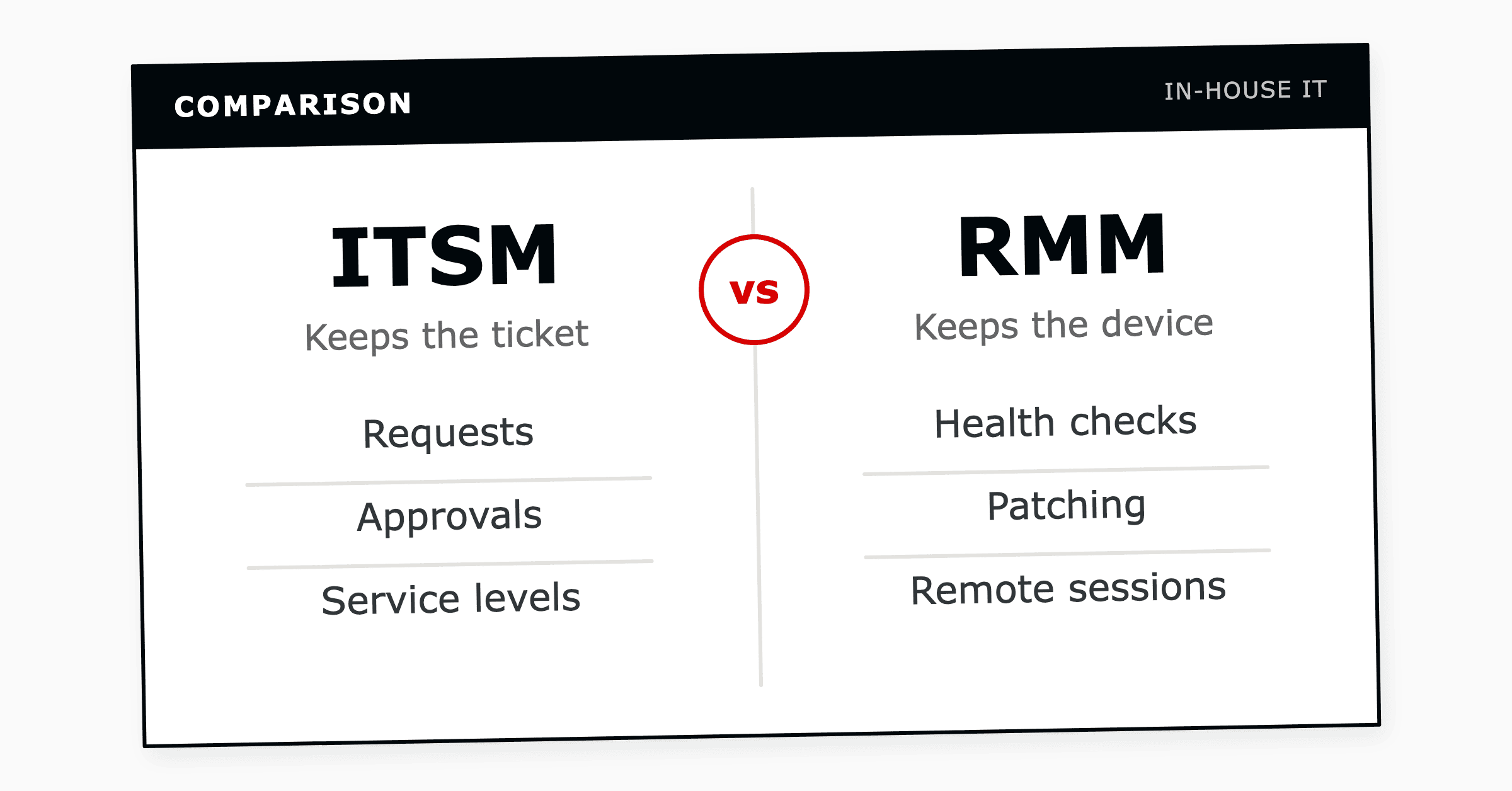
ITSM (IT service management) and RMM (remote monitoring and management) cover two different parts of an in-house IT team's work. An ITSM platform manages what people ask for, such as incidents, service requests and changes, while an RMM tool looks after the devices themselves, from health checks and patching to remote sessions.
An in-house team with a fleet of devices usually needs both, connected so that a device alert opens a ticket and a ticket shows the device behind it.
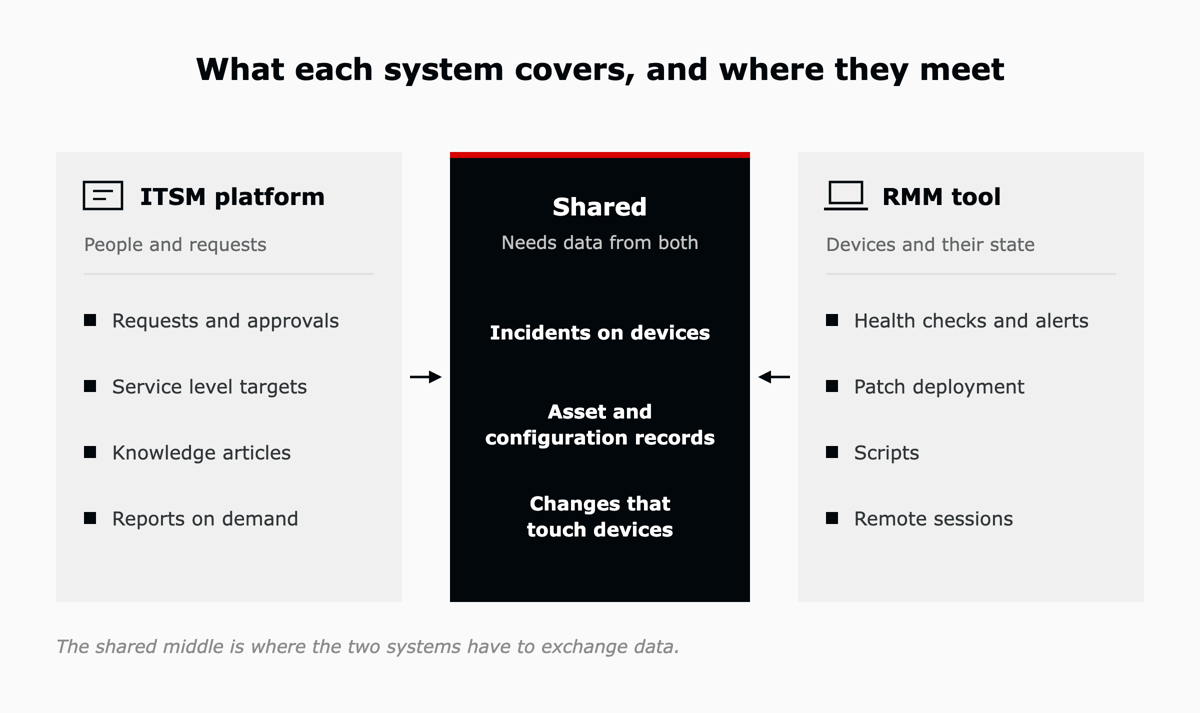
The difference is the record each one keeps. An ITSM platform is built around a request and the person who raised it, while an RMM tool is built around a device and its current state. The table sets the two side by side.
| Point of comparison | ITSM platform | RMM tool |
|---|---|---|
| Question it answers | Who needs what, and is it on track? | What state is each device in, and can we fix it from here? |
| Where work starts | A person raises a request by email, portal, chat or phone | An agent on the device reports a condition, or a scheduled job runs |
| Main record | The ticket, linked to the requester | The device, with its health and patch status |
| Core jobs | Logging, routing, approvals, service levels, knowledge and reporting | Monitoring, patching, scripting and remote access |
| Main users | Service desk agents, approvers and employees | Technicians and system administrators |
| How progress is measured | Response and resolution against service level targets | Device health, patch compliance and alert volume |
| ITIL (Version 5) practices it leads | Service Desk, Incident Management, Service Request Management, Change Enablement | Monitoring and Event Management, Deployment Management |
An ITSM platform gives employees one place to ask for help and gives the IT team one place to manage the work. In ITIL (Version 5) terms it carries the Service Desk practice, the single point of contact that captures demand for incident resolution and service requests.
Each request becomes a ticket with a named requester and an owner. The platform routes it to the right group and asks for approval where one is needed. It then tracks the ticket against its service level target, and its knowledge articles let people solve common problems on their own.
On its own, the ITSM platform holds little information about the device. An agent working a hardware ticket then starts by asking the user which laptop it is, a pattern behind several of the ITSM pain points that slow support teams down.
An RMM tool keeps devices healthy and lets technicians work on them without a site visit. TechTarget describes RMM software as a way to maintain IT assets, infrastructure and systems remotely, with endpoint monitoring and patch management among its core functions. Managed service providers depend on it, and internal IT teams use it for their own estates.
A small agent on each device reports its health to the RMM tool. It also runs the jobs the tool sends back, such as an update or a script. RMM is one way to deliver endpoint management, the broader discipline that covers inventory, patching, monitoring and remote access across laptops, servers, phones and network devices.
Patching links RMM directly to security. In Verizon's 2026 Data Breach Investigations Report, organizations fully fixed only 26 percent of the vulnerabilities on the US government's Known Exploited Vulnerabilities list during 2025, down from 38 percent the year before, and the median time to fix one rose to 43 days.
A disk alert names the device and the space left on it. Who is affected, and whether a fix needs approval first, is recorded in the ITSM platform.
ITIL (Version 5), which PeopleCert released in January 2026, describes 34 management practices. The table shows ten that come up in day-to-day support. Eight sit with one system, and two need data from both.
| ITIL (Version 5) practice | What it does | Led by | Draws data from |
|---|---|---|---|
| Service Desk | Single point of contact for users | ITSM platform | Little or none |
| Incident Management | Restores normal service quickly | ITSM platform | RMM tool |
| Service Request Management | Handles predefined user requests | ITSM platform | RMM tool |
| Problem Management | Finds the causes of incidents | ITSM platform | RMM tool |
| Change Enablement | Assesses and authorizes changes | ITSM platform | RMM tool |
| Service Level Management | Sets and tracks service targets | ITSM platform | Little or none |
| IT Asset Management | Manages the lifecycle of assets | Shared | Both systems |
| Service Configuration Management | Keeps configuration data accurate | Shared | Both systems |
| Monitoring and Event Management | Records state changes as events | RMM tool | ITSM platform |
| Deployment Management | Moves changes into live environments | RMM tool | ITSM platform |
The two shared practices are IT Asset Management, which plans and manages the lifecycle of IT assets, and Service Configuration Management, which keeps configuration information accurate. The RMM agent discovers what is on each device. The ITSM platform adds the owner and the contract, so the asset record draws on both.
Patching uses both systems too. Teams often pre-authorize routine patches as standard changes under Change Enablement in the ITSM platform, and the RMM tool then deploys them on schedule under Deployment Management.
The system that leads depends on where the work starts and what closes it. Requests from people that end in a decision belong in the ITSM platform. Device conditions that end in an automatic fix belong in the RMM tool, and the two mixed cases need both.
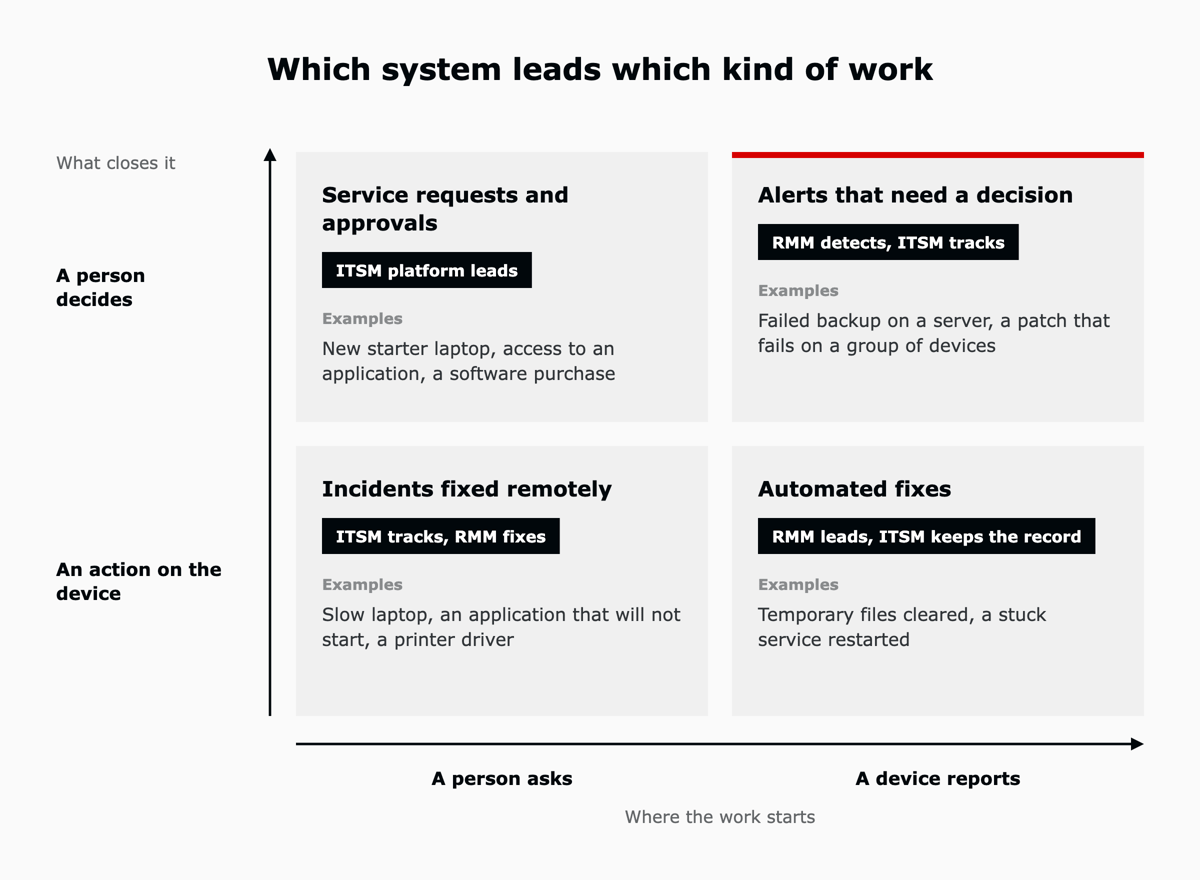
A new starter's laptop or access to a finance application begins with a person and ends with an approval. The ITSM platform leads. Once the request is approved, the RMM tool can install the software.
A backup fails on a server, or a patch fails on a group of devices. The RMM tool detects it, and a ticket in the ITSM platform gives it an owner and a record of what was decided.
A user reports that a laptop is slow. The ticket stays in the ITSM platform, while the technician checks the device and opens a remote session in the RMM tool.
A disk fills up on a shop-floor PC and a cleanup script clears it, with no person involved. Logging it in the ITSM platform keeps a history, so repeat alerts on the same device can be raised as a problem and investigated under Problem Management.
| Situation | Where it starts | What closes it | Record in the ITSM platform |
|---|---|---|---|
| New starter needs a laptop and accounts | Request in the ITSM portal | Approval and fulfillment in ITSM, software installed by RMM | Service request |
| "My laptop is slow" | Ticket raised by the user | Remote session from the RMM tool | Incident |
| A patch fails on a group of devices | Alert in the RMM tool | Technician decision, tracked in ITSM | Incident |
| Server disk running low | Alert in the RMM tool | Cleanup script run by RMM | Incident, logged automatically |
A device alert becomes a ticket through an integration between the two systems. The RMM tool raises the alert, the integration creates a ticket with the device attached, and the ITSM platform routes it like any other request.
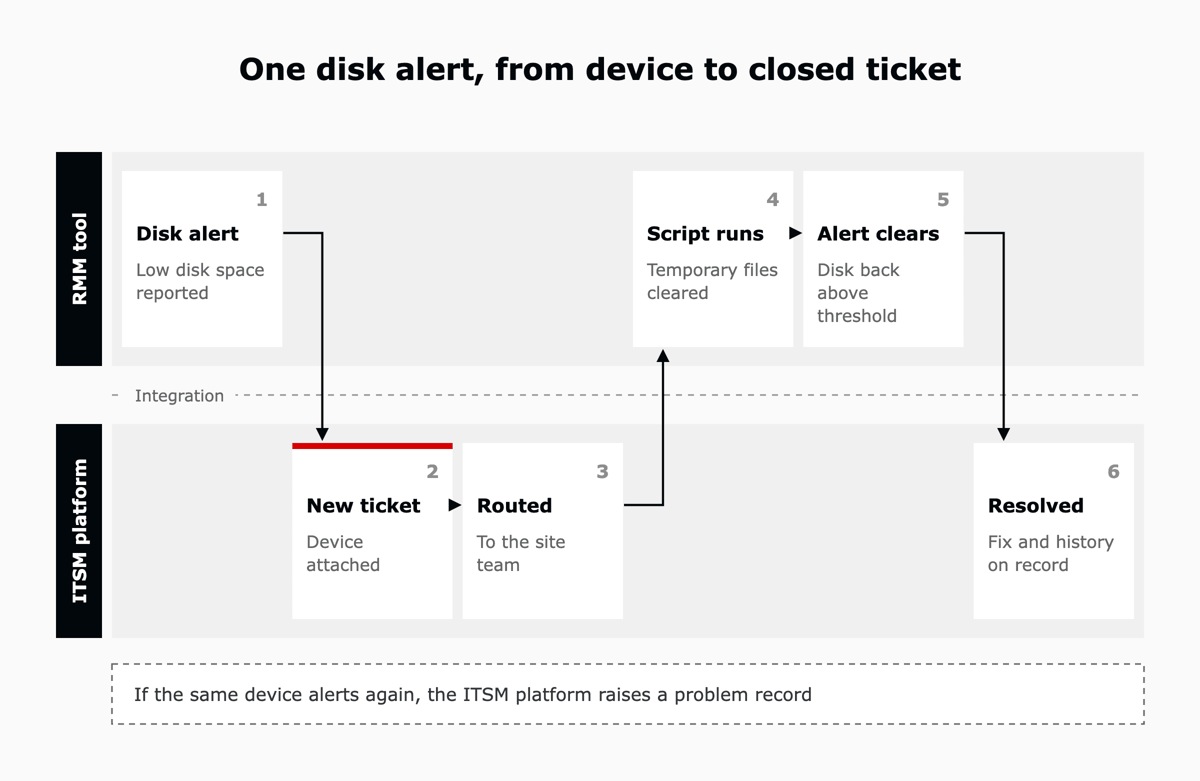
The NinjaOne integration for Zendesk, announced in April 2025, works this way: alerts detected in NinjaOne create Zendesk tickets, and device information is shown alongside the ticket. Our NinjaOne and Zendesk setup guide walks through the configuration step by step.
The integration also needs rules about which alerts become tickets. Teams usually start with a short list of conditions, such as a failed backup or a server that stops responding, and add more once the first set is stable.
One tool can cover part of the other's job, with limits. A ticketing module inside an RMM tool is built around the device, so requests with no device behind them, such as access or onboarding, fit less well.
An asset list inside an ITSM platform stays current only while something keeps updating it, which is the job an RMM agent does.
The starting point depends on where the larger share of work begins. A team whose tickets come mainly from employees usually starts with an ITSM platform. For a team with many servers and remote sites, RMM often comes first.
A second system adds license and administration cost, which is worth weighing against the manual steps it removes, as set out in the total cost of owning an ITSM platform.
A team connects the two in order, starting with ownership of the records and ending with automated fixes that leave a ticket behind.
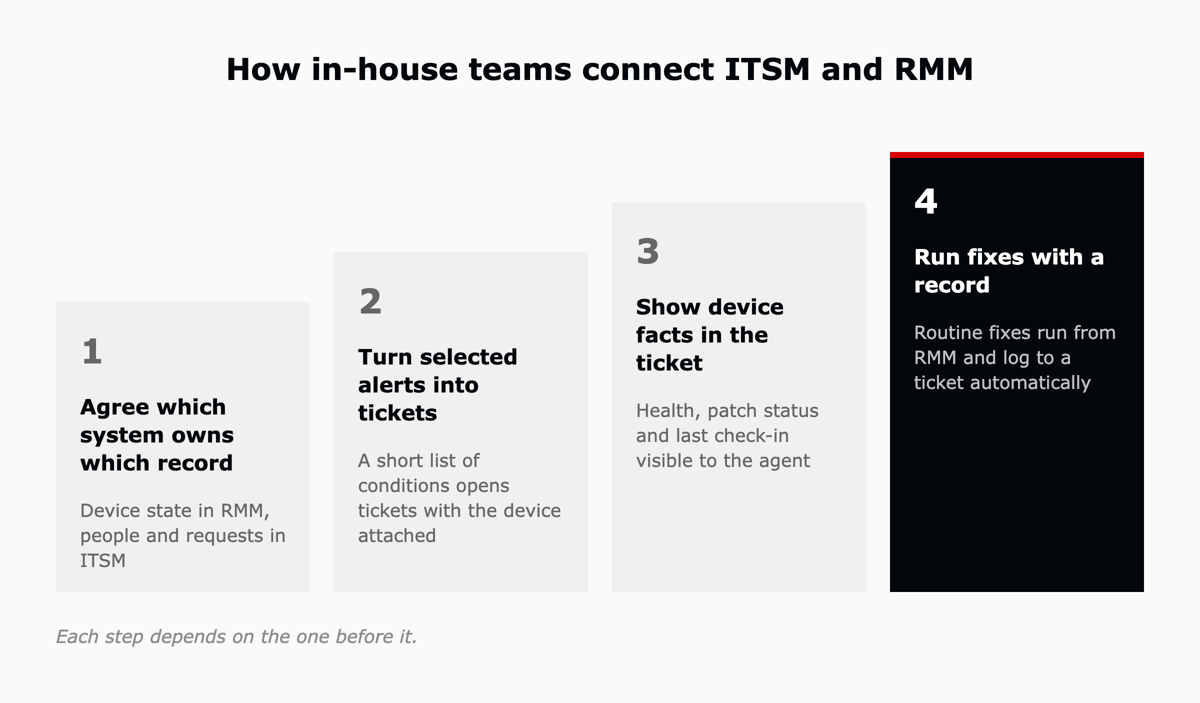
Start by deciding where each record lives: device state in the RMM tool, requests and people in the ITSM platform. Each system then reads the other's record through the integration, which is the approach behind running endpoint management and the service desk as one system.
A short list of alert conditions opens tickets with the device attached, routed in the same way as requests from people.
The agent sees the device's health, patch status and last check-in on the ticket, so the first reply can go straight to a fix.
Routine fixes, such as restarting a stuck service, then run from the RMM tool, with a ticket created and closed automatically so the history stays in one place.
RMM is a separate category of tool for looking after devices. It supports ITSM practices such as Monitoring and Event Management, so in-house teams usually connect the two.
PSA (professional services automation) tools help service firms manage projects and billing, and managed service providers often pair them with RMM. An in-house IT team does not bill its internal customers, so it usually pairs RMM with an ITSM platform instead.
An RMM ticketing module can log device work, but requests with no device behind them, such as access or onboarding, need the approvals and service levels of an ITSM platform. A team that supports people as well as devices usually runs both and connects them.
Zendesk runs the service desk for requests and approvals, and NinjaOne looks after the devices behind them. L5 offers Zendesk and NinjaOne as one operated bundle on AWS Marketplace, so a team buys both under one contract against its existing AWS commitment.
In the bundle, L5 sets up the connection between NinjaOne and Zendesk and, as the operator, tunes the automation and the data flows between them as devices, teams and rules change.
If your technicians still copy device details into tickets by hand, the two systems are not yet sharing data. Book an assessment and you walk away with a scorecard, a roadmap and a business case, in one week against a fixed scope.

The full article with its figures, tables and sources, set for reading offline, printing, and sharing.
On its way to your inbox You can also download it right now.
Download the PDF Last updatedKeep reading
To connect NinjaOne to Zendesk, an administrator enables the Zendesk app in NinjaOne, installs the NinjaOne app from the...
Read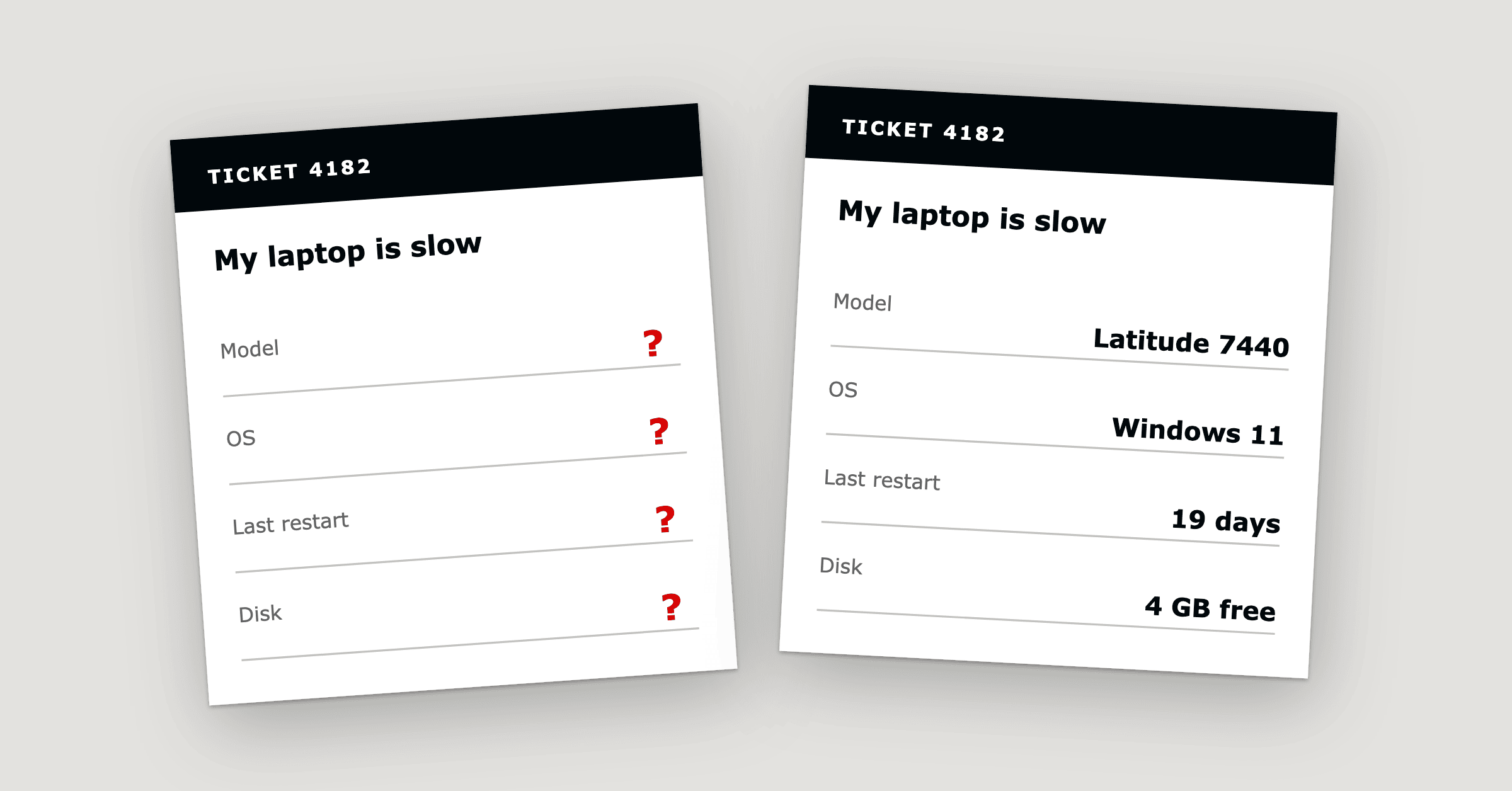
Hardware ticket troubleshooting starts with 20 questions because the details a technician needs, such as the serial numb...
Read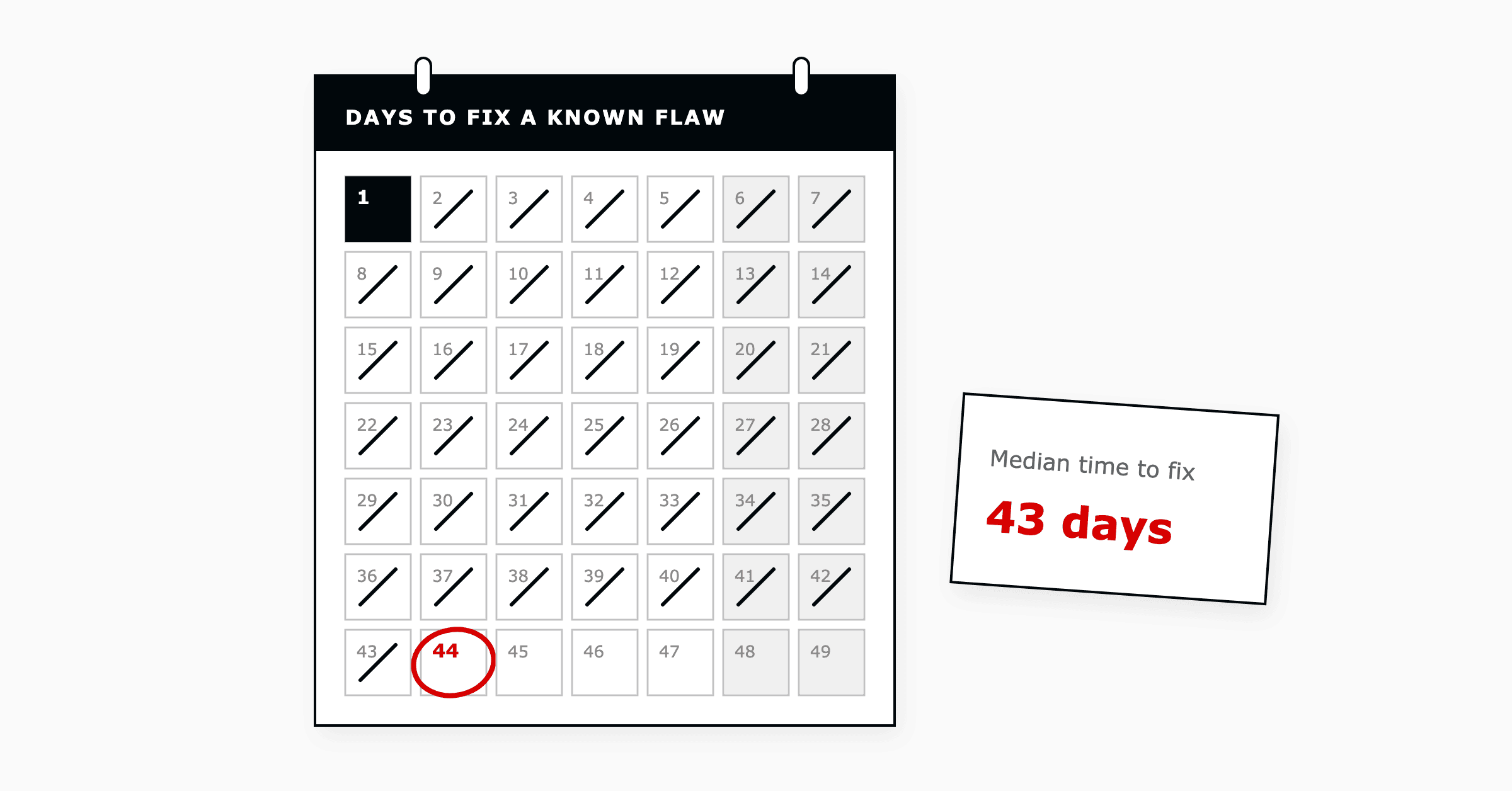
In ITSM, endpoint management is how an IT team keeps a record of the devices that connect to the business, keeps them up...
ReadField notes on AI operations and service management, direct to your inbox. New insights, the week we publish them.
No spam. Unsubscribe any time.